


Best Backtesting Software Free: Reviews, Comparisons & Top Pick
Last Updated: July 16, 2026
Software | Best For | Markets | Coding Required | Historical Data | Free Version | Rating |
Traders who want a browser-based platform with built-in charting and quick strategy testing. | Stocks, Forex, Crypto, Futures | No (Pine Script optional for custom strategies) | Extensive historical charts with limits on the free plan | Yes | ⭐ 4.8/5 | |
Python users building and refining fully customized trading systems. | Stocks, Forex, Crypto, Futures, Options | Yes (Python) | Uses imported datasets from supported data providers or local files | Yes (Open Source) | ⭐ 4.7/5 | |
Quantitative traders developing algorithmic strategies across multiple asset classes. | Stocks, Forex, Crypto, Futures, Options | Yes (Python or C#) | Large cloud-hosted historical datasets available within the platform | Yes | ⭐ 4.5/5 | |
Forex and CFD traders optimizing Expert Advisors before live deployment. | Forex, CFDs, Stocks, Futures | Optional (MQL5 only for automation) | Historical price data can be downloaded directly through connected brokers | Yes | ⭐ 4.4/5 | |
Active futures traders who need detailed execution testing and market replay. | Futures, Stocks, Forex | Optional (NinjaScript for advanced automation) | Historical market data supported through connected providers | Yes | ⭐ 3.9/5 | |
Experienced traders focused on high-speed analysis and portfolio-level testing. | Stocks, Forex, Futures, Crypto | Optional (AFL for custom systems) | Supports imported historical data from a wide range of vendors | Free Trial | ⭐ 3.6/5 | |
Technical analysts looking for an all-in-one charting and backtesting workspace. | Stocks, Forex, Indices, Commodities | Optional (ProBuilder for custom logic) | Integrated historical data with varying depth based on market coverage | Yes (Limited) | ⭐ 4.8/5 | |
Traders who prefer automated technical analysis and visual strategy validation. | Stocks, ETFs, Forex, Crypto | No | Built-in historical market data for supported exchanges | Yes (Limited Trial) | ⭐ 4.8/5 |
After manually testing more than 500 historical trades, I realized that spreadsheets were becoming too slow for the type of research I wanted to do.
They worked for simple strategies, but once I wanted to test different markets, timeframes, and entry rules, the process became slow and repetitive. I realized the right software could save hours while producing more reliable results.
In this guide, I'll compare the best free backtesting software available today. I'll cover what each tool does well, where it falls short, and which one is worth your time based on your trading style.
TradingView
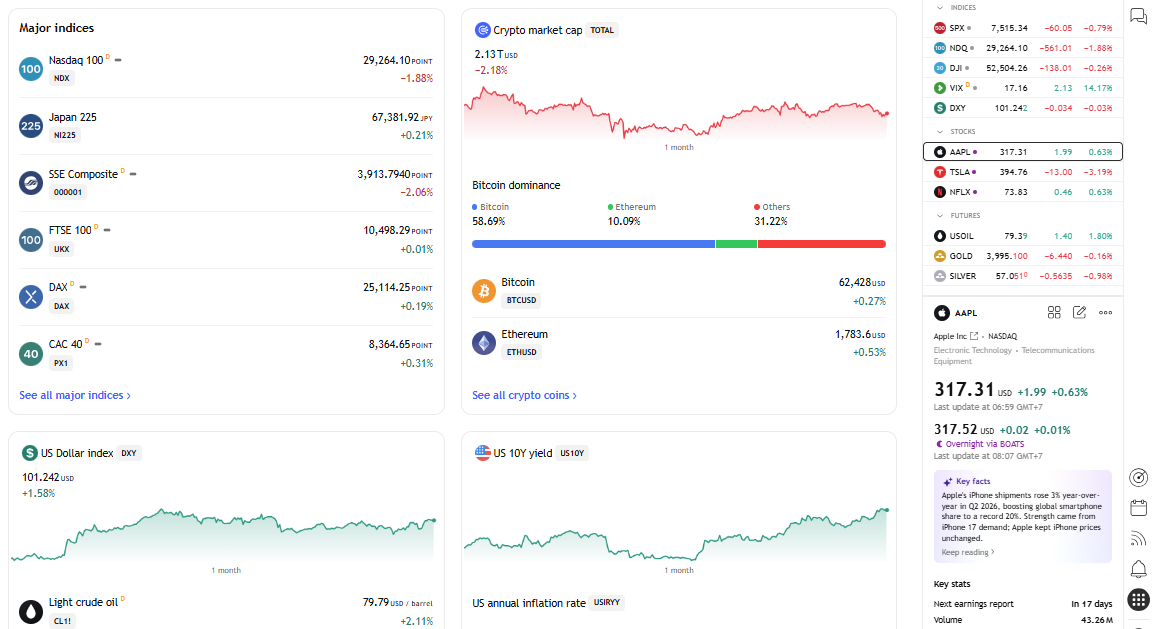
I used TradingView for my first 20+ strategy tests, mostly focusing on moving-average, breakout, and trend-following setups.That's exactly where TradingView stood out.
In one testing session, I compared several variations of the same strategy by changing only the moving-average period and exit rule. Being able to rerun each version quickly made it much easier to see which changes genuinely improved the system and which only improved the results by chance. For simple and intermediate strategies, that speed makes a real difference.
According to TradingView, the platform is used by more than 100 million traders and investors worldwide, making it one of the largest online communities for charting and market analysis. (Source: https://www.tradingview.com/about/)
Key Features
TradingView combines charting, market analysis, and strategy testing in a single browser-based platform. Some of the features I found most useful include:
Strategy Tester for evaluating rule-based trading strategies.
Pine Script for building or modifying custom indicators and automated strategies.
Bar Replay, which lets you replay historical price action one candle at a time.
Historical data across stocks, forex, futures, crypto, ETFs, and indices.
Thousands of community-created indicators and public trading strategies.
Cross-device synchronization, allowing you to access charts from desktop, web, and mobile.
Pros
After using TradingView for a while, a few strengths became obvious.
Fast learning curve. I was able to run my first basic backtest within the first session, while code-based platforms took considerably longer to configure.
Excellent charting tools. Even if I wasn't backtesting, I'd still use TradingView because the charts are clean, responsive, and easy to customize.
Huge community. Whenever I wanted to test a common strategy, there was usually an existing Pine Script that I could study or modify instead of starting from scratch.
Works across multiple markets. I could switch between stocks, forex, crypto, and futures without changing platforms.
Cons
TradingView isn't perfect, especially if your research becomes more sophisticated.
Portfolio-level backtesting is fairly limited compared with dedicated quantitative research platforms.
Complex optimization and parameter testing require more manual work than specialized software. Once I wanted to test dozens of parameter combinations across multiple symbols, TradingView became noticeably less convenient than platforms built specifically for optimization.
Learning Pine Script takes some effort if you've never written code before.
Some community scripts are excellent, while others haven't been thoroughly tested, so I never assume a published strategy is reliable without verifying it myself.
Free Limitations
The free version is enough to explore the platform and run basic backtests, but you'll notice its limits fairly quickly if you trade every day.
For example, the number of indicators you can add to a chart is restricted, alerts are limited, and some advanced chart layouts and historical data features require a paid subscription. If your workflow depends on multiple monitors or several synchronized charts, you'll probably outgrow the free plan.
Best For
I think TradingView is the best fit for traders who already use technical analysis as part of their decision-making process. It's particularly well suited for swing traders, position traders, and newer traders who want to learn backtesting without investing in expensive software.
It's also a solid choice if you plan to build simple systematic strategies using Pine Script before moving on to more advanced tools.
User reviews
Producthunt: 4.8/5 star rating
Backtrader
Backtrader isn't the easiest platform to learn, but it's one of the most rewarding if you're comfortable with Python.
It took me several hours to get my first complete Backtrader environment running, but after that initial setup, creating new strategy variations became much faster. Instead of being limited by a built-in strategy tester, I could build an entire trading system, customize the execution logic, and analyze the results exactly the way I wanted.
That flexibility comes with a steeper learning curve, but it's difficult to match once you become familiar with the framework.
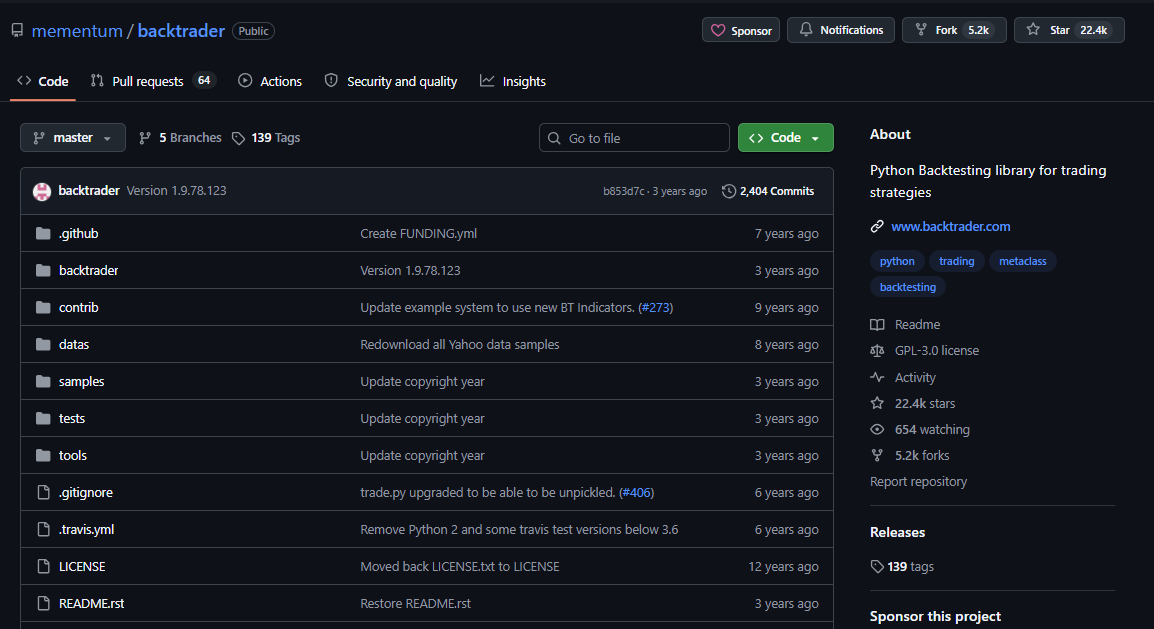
According to its official documentation, Backtrader is an open-source Python framework built specifically for strategy development and backtesting.
Key Features
Backtrader gives you everything needed to build and evaluate algorithmic trading strategies.
Open-source Python framework with no licensing cost.
Supports multi-asset and multi-timeframe backtesting.
Built-in order management, commission models, and position sizing.
Extensive indicator library with support for custom indicators.
Walk-forward testing and optimization capabilities.
Compatible with multiple data feeds and broker integrations through community extensions.
Pros
After spending time with Backtrader, these were the biggest advantages I noticed.
Complete flexibility. One of the first things I tested was whether changing position sizing and commission assumptions materially affected the strategy's results. Being able to control those variables directly made the backtest feel much closer to the research process I actually wanted.
Excellent for Python users. If you already know Python, the framework feels natural to work with.
Large open-source community. I rarely had to start completely from scratch when I ran into a technical problem. Between documentation, GitHub examples, and community discussions, I could usually find an example close enough to adapt.The downside is that the solutions are not always plug-and-play. I still had to understand the code well enough to know whether an example actually matched my strategy logic.
No subscription required. You can build sophisticated backtests without paying monthly fees.
Cons
Backtrader definitely isn't aimed at complete beginners.
There's no graphical interface, so everything is done through code.
Setting up historical market data requires extra work.
Visualization and reporting are more basic than many commercial platforms.
Development on the official project has slowed, although the community remains active.
Free Limitations
Backtrader itself is completely free and open source. The main limitation isn't the software, it's the surrounding ecosystem. You'll often need to source your own historical market data, configure your Python environment, and integrate third-party libraries depending on your workflow.
Best For
I'd recommend Backtrader to traders who already have some Python experience and want complete control over strategy development. It's especially suitable for quantitative traders, systematic investors, and developers who prefer writing code instead of relying on visual interfaces.
User reviews
QuantConnect
If Backtrader feels like building your own research environment, QuantConnect feels like working inside a professional quantitative trading platform.
After spending several hours setting up my first local Python backtesting environment, I found QuantConnect's cloud-based workflow significantly faster to get started with. Instead, I could focus on researching and improving trading strategies.
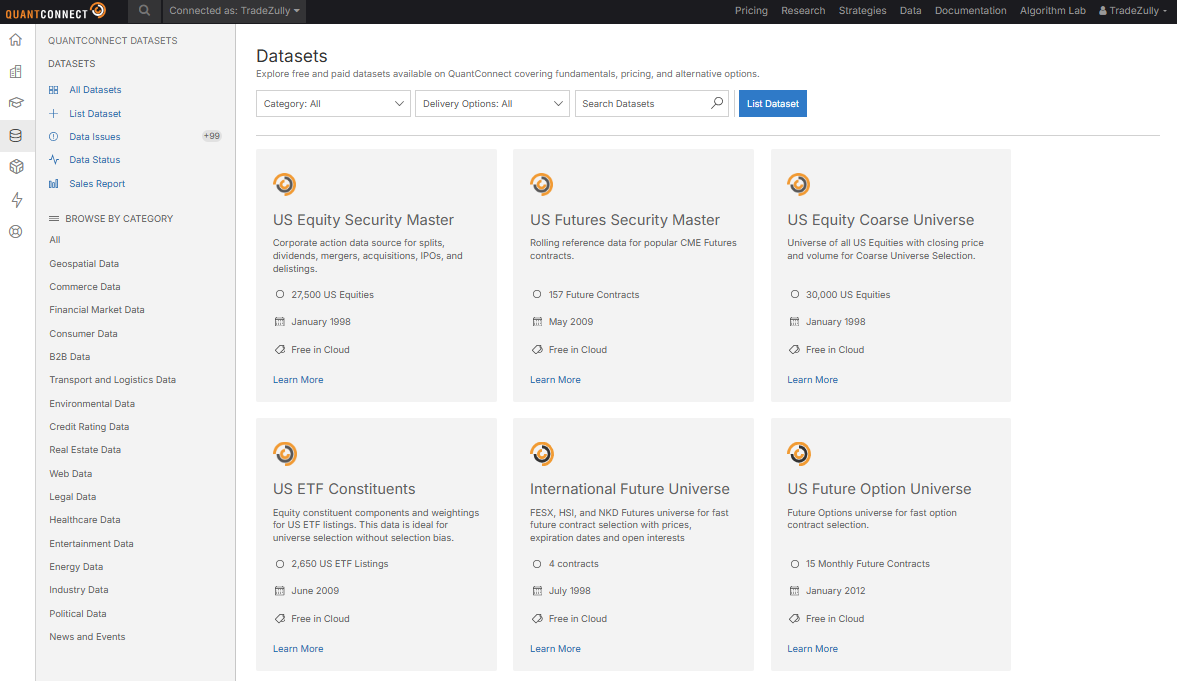
According to QuantConnect, its cloud platform serves more than 50,000 quantitative traders every month, while the underlying LEAN engine is fully open source and supports research, backtesting, optimization, and live trading across multiple asset classes. (source)
Key Features
QuantConnect is designed for traders and developers building systematic trading strategies.
Cloud-based backtesting powered by the open-source LEAN engine.
Supports Python and C# for strategy development.
Historical data covering equities, forex, futures, options, crypto, ETFs, and alternative datasets.
Event-driven architecture for realistic strategy simulation.
Parameter optimization and research notebooks.
Live trading support through multiple brokerage integrations.
Pros
A few features kept impressing me as I explored the platform.
Institutional-grade infrastructure. I didn't need to spend time setting up a local backtesting environment.
High-quality datasets. In one project, I spent almost as much time preparing historical data as I did writing the initial strategy logic. That experience made me appreciate platforms that handle more of the data infrastructure.
Scales well. The platform handles simple strategies just as comfortably as more complex multi-asset systems.
Strong developer community. Documentation and community discussions cover most common questions.
Cons
QuantConnect isn't the type of software I'd recommend to someone writing their first trading strategy.
Programming knowledge is essential.
The platform includes many advanced features that can feel overwhelming at first. I found this most noticeable when moving between research notebooks, algorithm code, backtests, and optimization. The platform gives you a lot of options, but that also means there's more to learn before the workflow feels natural. For someone who only wants to test a simple moving-average strategy, that extra complexity may be unnecessary.
Cloud-based workflows may take some time to get used to if you've only worked with desktop software.
Some premium datasets and higher computing resources require a paid subscription.
Free Limitations
The free plan is generous enough to learn the platform, write strategies, and run backtests. However, computing resources, concurrent projects, premium datasets, and certain collaboration features are more limited than on paid plans.
Best For
In my opinion, QuantConnect is best suited for quantitative traders, algorithm developers, and anyone planning to build systematic strategies that may eventually be deployed in live markets. If you're comfortable with Python or C#, it offers considerably more flexibility than most retail backtesting platforms.
User reviews
Trustpilot: 4.5/5 star rating
MetaTrader 5 Strategy Tester (MT5)
If you already trade forex, chances are you've come across MetaTrader 5.
I used MT5 to test more than 20 EA variations across several forex pairs before comparing the results with other platforms. The biggest advantage is convenience.
Since the tester is built directly into the platform, I could develop an Expert Advisor (EA), run a backtest, and analyze the results without switching between different applications.
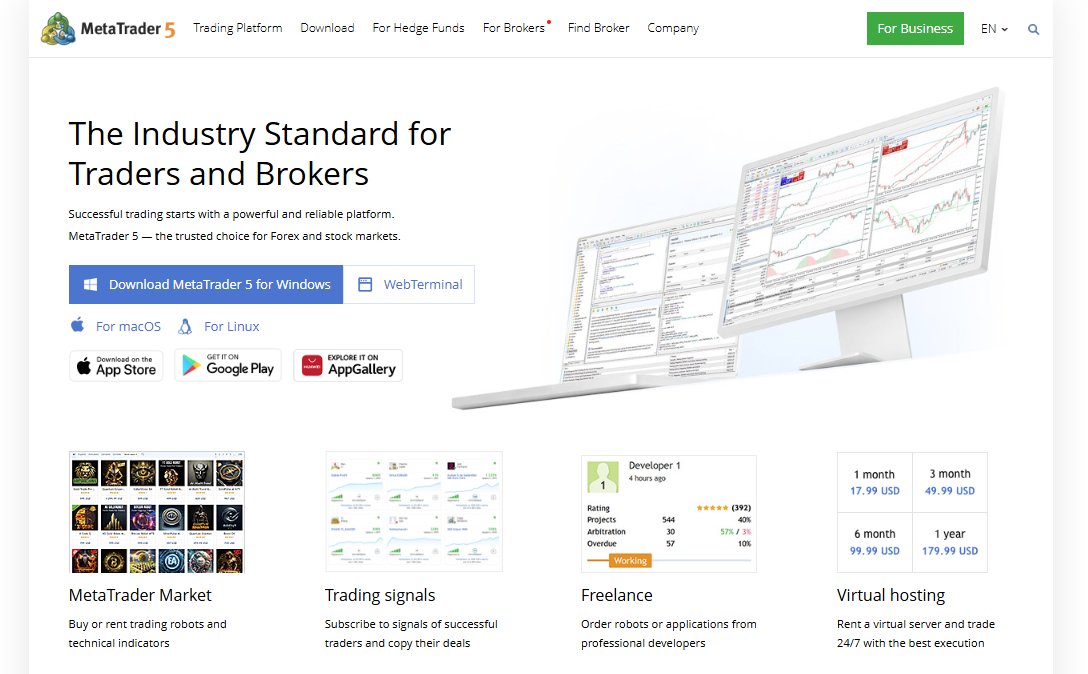
Another feature I genuinely appreciate is how quickly MT5 can process large optimization jobs. Besides using all available CPU cores on my computer, the platform can connect to the MQL5 Cloud Network, giving traders access to thousands of remote computing agents for distributed strategy optimization. Tasks that might otherwise take days can often be completed much faster through cloud computing. - Source
Key Features
Built-in Strategy Tester with no additional installation required.
Supports single-currency and multi-currency backtesting.
Visual Mode for replaying historical trades on charts.
Multi-threaded optimization to speed up parameter testing.
Compatible with Expert Advisors (EAs) written in MQL5.
Detailed reports covering profit, drawdown, trade history, and execution statistics.
Pros
After using MT5 for several years, these are the features I value most.
Everything is integrated. I can move from strategy development to testing without exporting data or opening another platform.
Fast optimization. In one optimization run, I tested several hundred parameter combinations and used the results to narrow down a smaller set of configurations for further validation.
Strong forex support. If your primary focus is currency trading, the workflow feels very natural.
Widely supported by brokers. That makes it easy to compare backtest results with live trading conditions.
Cons
MT5 isn't the most flexible platform for every trading style.
Most advanced features are designed around automated strategies rather than discretionary trading.
Learning MQL5 takes time if you've never programmed before.
Historical data quality depends on the broker or data source you use.
Performance reports are informative, but they aren't as customizable as those offered by some dedicated backtesting platforms.
Free Limitations
The Strategy Tester itself is included with MetaTrader 5 at no additional cost. In my experience, the biggest limitation isn't the software, it's the historical data. Depending on your broker, the amount of available history and data quality can vary, which directly affects the reliability of your backtests. I learned this the hard way when comparing results across different data sources. A strategy can appear noticeably better or worse simply because the underlying historical data isn't identical.
That's why I now treat the data source as part of the backtesting process rather than assuming the platform automatically guarantees reliable results.
Best For
I think MT5 Strategy Tester is the best choice for forex traders who already use MetaTrader as their primary trading platform. It's also a solid option for anyone developing Expert Advisors and wanting to test ideas before deploying them in a live account.
User reviews
Capterra: 4.4/5 star rating
NinjaTrader
NinjaTrader feels very different from browser-based backtesting platforms.
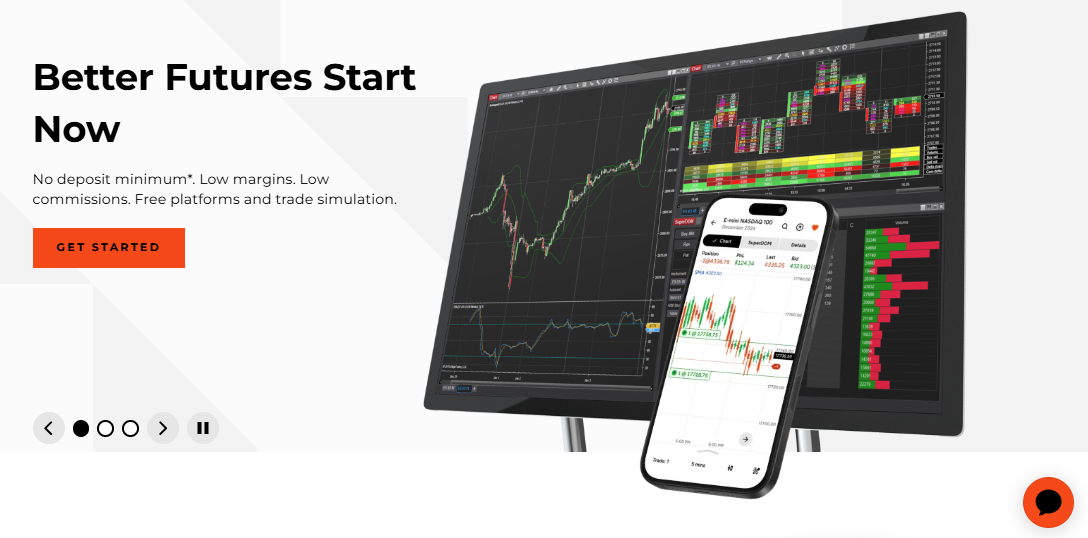
The first thing I noticed was how much it caters to active futures traders. Instead of focusing only on historical testing, it combines charting, order execution, market replay, and strategy analysis in one ecosystem.
If your trading revolves around futures, having everything in one place makes the workflow much smoother.
I used Market Replay across more than 20 historical sessions, focusing on how my entries and exits would have looked without the benefit of hindsight. NinjaTrader now allows traders to replay historical tick data at speeds ranging from 100x up to the maximum speed supported by the CPU, while maintaining accurate sequencing of Level I and Level II market data.- Source. In practice, I found the higher playback speeds useful when reviewing an entire session quickly, while slower playback was much better for analyzing individual entries and execution decisions.
That makes reviewing intraday execution much more practical than simply scrolling through historical charts.
Key Features
Historical strategy backtesting and optimization.
Market Replay for practicing with historical market sessions.
Advanced charting with hundreds of built-in indicators.
Strategy development using NinjaScript (C#).
Automated trading support.
Detailed performance reports and execution analysis.
Pros
A few features consistently stood out while I was testing the platform.
Market Replay is genuinely useful. It lets me experience historical trading sessions almost as if they were happening live.
Excellent charting tools. The platform offers plenty of flexibility without feeling cluttered.
Built with futures traders in mind. Many of the features align naturally with high-volume futures trading.
Supports both discretionary and automated trading. That flexibility means I don't need separate software as my trading evolves.
Cons
There are a few trade-offs worth knowing before getting started.
The interface feels more technical than platforms like TradingView.
Learning NinjaScript requires programming knowledge if you want to automate strategies.
New users may need time to become familiar with the platform because it offers so many tools and settings.
Most stock traders probably won't benefit from everything NinjaTrader has to offer.
Free Limitations
The free version provides charting, market analysis, and simulated trading, making it suitable for learning the platform and testing ideas. However, certain advanced order management features, live trading capabilities, and premium functionality are tied to a funded brokerage account or a paid license.
Best For
I'd recommend NinjaTrader primarily to futures traders who want a single platform for chart analysis, market replay, strategy testing, and live execution. If your trading style involves detailed market review and active intraday trading, it offers one of the more complete workflows available.
User reviews
Trustpilot: 3.9/5 star rating
AmiBroker (Free Trial)
AmiBroker has been around for years, and there's a good reason why many experienced quantitative traders still use it.
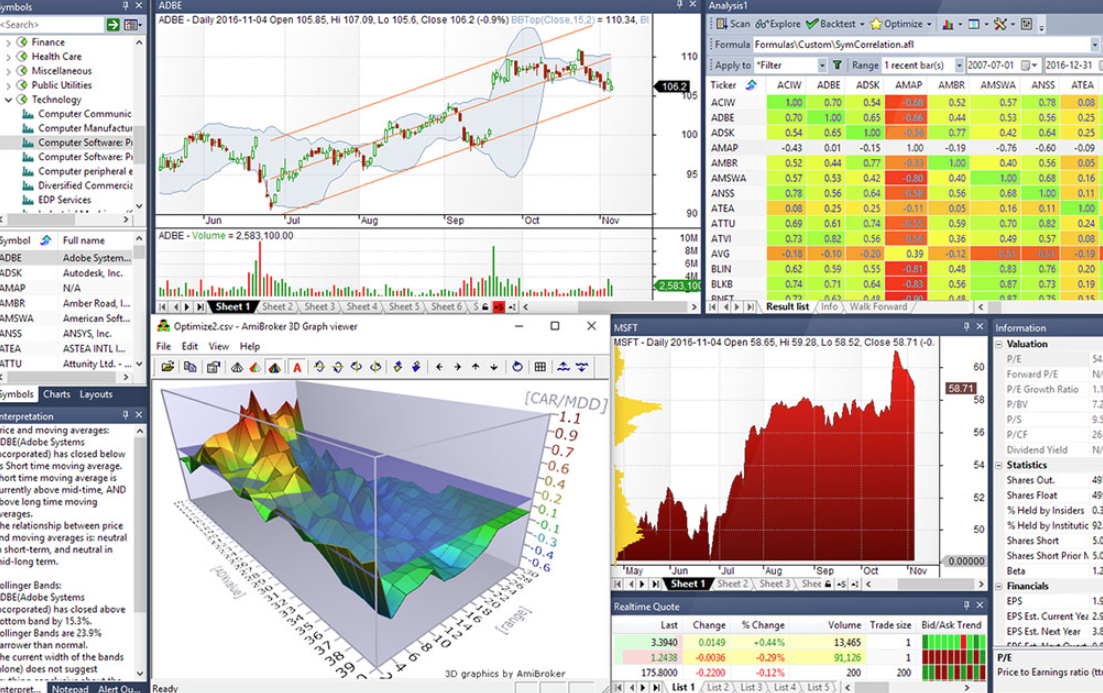
The first time I opened it, I knew it wasn't built with beginners in mind. The interface feels dated compared with newer platforms. My first impression wasn't particularly positive, especially after using more modern browser-based tools. That changed once I started running larger portfolio-level tests. The interface became less important when I saw how quickly the platform could process large datasets and handle more systematic analysis.
It can process large datasets quickly and gives you a level of control that's difficult to find in most retail backtesting software. According to AmiBroker, the platform is built around a 64-bit architecture optimized for high-speed portfolio backtesting and market analysis. (Source: https://www.amibroker.com/)
Key Features
Portfolio-level backtesting and optimization.
AFL (AmiBroker Formula Language) for custom strategies and indicators.
High-performance scanning across thousands of securities.
Walk-forward testing and Monte Carlo analysis.
Extensive charting and reporting tools.
Supports importing data from multiple market data providers.
Pros
A few things impressed me after spending time with AmiBroker.
Extremely fast backtesting, when I tested the same strategy across hundreds or thousands of symbols, the difference in processing speed became much more noticeable.
Portfolio testing is much stronger than many browser-based alternatives.
AFL is powerful once you become comfortable with it.
Plenty of customization for experienced traders.
Cons
The interface feels outdated compared with newer platforms.
AFL has a learning curve if you're unfamiliar with scripting.
Initial setup requires more effort than cloud-based solutions.
Better suited to systematic trading than discretionary chart analysis.
Free Limitations
AmiBroker offers a free trial, which is enough to explore the interface and evaluate its core capabilities before purchasing a license. Some usage restrictions apply, making it more suitable for testing than long-term use.
Best For
I'd recommend AmiBroker to traders who build systematic strategies and regularly test large numbers of stocks or ETFs. If performance and flexibility matter more than modern design, it's still one of the strongest desktop platforms available.
User reviews
Trustpilot: 3.6/5 star rating
ProRealTime
ProRealTime feels like a nice balance between professional analysis tools and everyday usability.
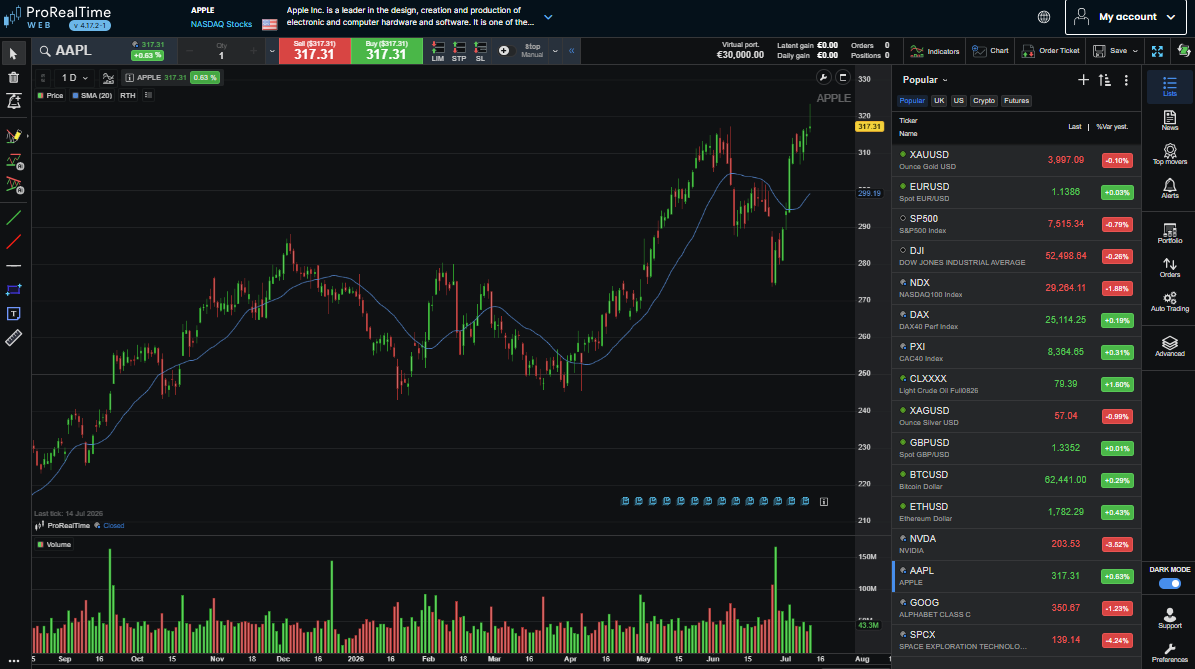
I liked that I could build and test strategies without feeling overwhelmed by the platform. It offers considerably more depth than basic charting software while remaining approachable for traders who don't come from a programming background.
According to ProRealTime, the platform provides over one million financial instruments across global markets, along with integrated charting and backtesting tools. (Source: https://www.prorealtime.com/)
Key Features
Historical backtesting through ProBacktest.
ProBuilder language for creating indicators and strategies.
Advanced charting with hundreds of built-in indicators.
Automated trading support through ProOrder.
Multi-market coverage, including stocks, forex, futures, and indices.
Customizable watchlists and market scanners.
Pros
Here are the features I appreciated most.
Clean interface that's easier to learn than many professional platforms.
Strategy creation doesn't require advanced programming knowledge.
Strong charting and technical analysis tools.
Suitable for both discretionary and systematic trading.
Cons
Some market data depends on your subscription and exchange access.
Strategy customization isn't as flexible as fully code-based frameworks.
The platform can feel expensive if you only need basic backtesting.
Smaller developer community than Python-based platforms.
Free Limitations
ProRealTime offers a free version with end-of-day market data for many instruments. To access real-time data, automatic trading, and certain premium features, you'll need a paid subscription or an eligible brokerage account.
Best For
In my opinion, ProRealTime is a great choice for traders who want more powerful backtesting than TradingView but don't want to build everything in Python. It works particularly well for technical traders who rely heavily on chart analysis.
User reviews
Trustpilot: 4.8/5 star rating
TrendSpider
TrendSpider approaches backtesting a little differently from most platforms on this list.
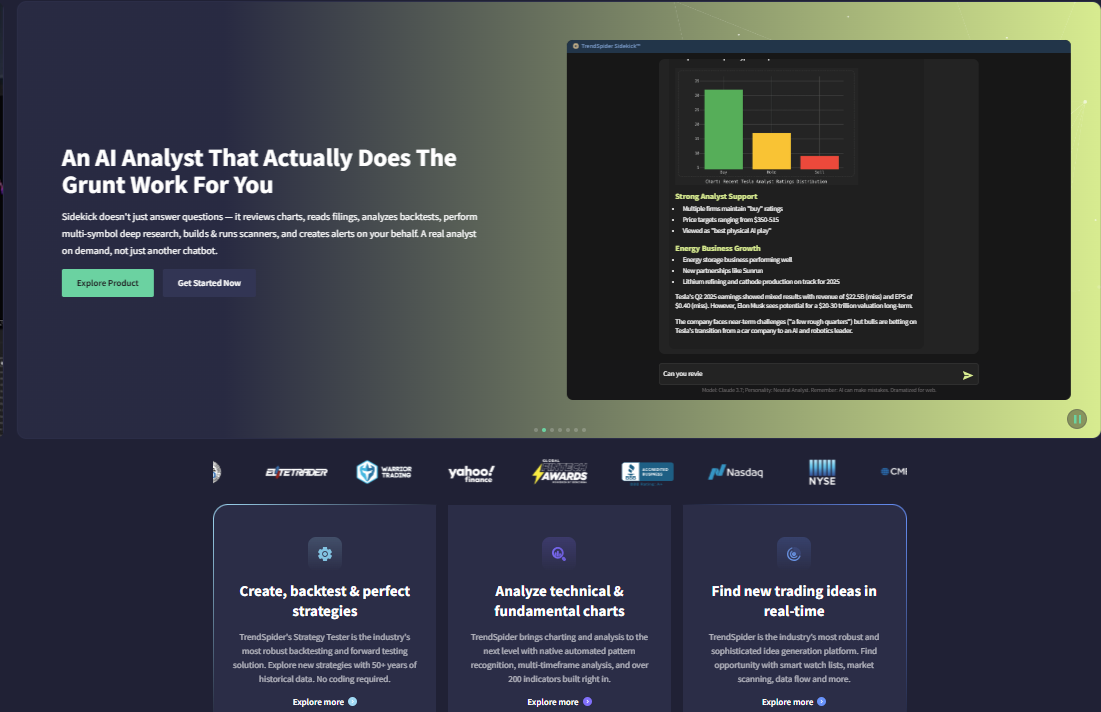
Rather than expecting you to code an entire strategy, it focuses on helping you test rule-based ideas using its automated technical analysis tools. I found this especially useful for exploring chart-based strategies because much of the setup process is visual instead of code-heavy. I tested several indicator-based setups in a single session, which would have taken considerably longer if I had to code each strategy from scratch.
Key Features
No-code strategy tester for rule-based trading ideas.
Automated trendlines, support, and resistance detection.
Multi-timeframe market analysis.
Strategy alerts and market scanners.
Pattern recognition and technical analysis automation.
Cloud-based platform with synchronized workspaces.
AI-assisted Strategy Tester that can generate strategy logic from natural-language prompts and explain backtest results after a test is completed - (source)
Pros
After testing TrendSpider, these were the features that stood out.
Very beginner-friendly compared with traditional coding platforms.
Automated chart analysis saves a surprising amount of manual work.
Strategy testing is quick for technical setups based on indicators and price action.
Excellent visualization makes reviewing ideas much easier.
Cons
Less suitable for highly customized quantitative strategies.
Advanced users may find the rule builder somewhat restrictive.
Subscription pricing is higher than some competing platforms.
Best suited to technical analysis rather than statistical research.
Free Limitations
TrendSpider doesn't offer a permanent free plan, but it provides a free trial, allowing you to explore the platform before subscribing. Some premium datasets and advanced automation features are reserved for paid users.
Best For
I'd recommend TrendSpider to traders who build strategies around chart patterns, moving averages, support and resistance, or other technical indicators. If you prefer visual workflows over writing code, it's one of the easiest backtesting platforms to get started with.
User reviews
Trustpilot: 4.8/5 star rating
Capterra: 4.4/5 star rating
Best free Backtesting Software by trading style
The best backtesting software depends on what you trade and how you trade it. After testing a range of platforms, I found that some are much better suited to specific workflows than others. Here are the ones I'd recommend for each type of trader.
Best for beginners
TradingView: If someone asked me where to start, TradingView would be my first suggestion. The Strategy Tester is easy to find, the charts are excellent, and you can run your first backtest without installing anything. As your skills improve, Pine Script gives you plenty of room to grow.
TrendSpider (Free Trial): TrendSpider makes strategy testing approachable by reducing the amount of coding involved. I found it especially helpful for testing indicator-based ideas because much of the workflow is visual instead of script-heavy.
Best for day trading
NinjaTrader: Market Replay is the feature that makes NinjaTrader stand out for me. Replaying an entire trading session helps you review entries and exits in a much more realistic way than simply scrolling through historical charts.
TradingView: For discretionary day traders, TradingView offers a fast way to test chart-based ideas. I often use Bar Replay to see whether I'd make the same trading decisions without knowing what happens next.
Best for Swing Trading
TradingView: Swing strategies are usually built around technical analysis, and TradingView handles that workflow extremely well. Testing moving averages, breakouts, or trend-following systems takes very little setup.
ProRealTime: I like ProRealTime for swing trading because it combines strong charting with reliable backtesting. It offers more depth than beginner platforms without becoming overly technical.
Best for Forex
MetaTrader 5 Strategy Tester: If your broker already supports MT5, using the built-in Strategy Tester feels like the most natural choice. You can develop, test, and optimize Expert Advisors without leaving the platform.
Forex Tester (Free Trial): Forex Tester is built specifically for practicing and testing forex strategies. I especially like its realistic market replay, which lets you experience historical sessions almost as if they were live.
Best for Crypto
TradingView: Most crypto traders already use TradingView for chart analysis, so adding strategy testing is an easy next step. The platform supports a wide range of cryptocurrency markets and exchanges.
QuantConnect: For systematic crypto strategies, QuantConnect offers significantly more flexibility than browser-based platforms. It's a better fit if you're testing algorithmic ideas across multiple digital assets.
Best for stocks
AmiBroker (Free Trial): AmiBroker shines when working with large stock universes. I found its portfolio backtesting and scanning capabilities much stronger than many general-purpose platforms.
TradingView: For retail stock traders, TradingView strikes a nice balance between simplicity and functionality. It's easy to test ideas without building an entire quantitative research environment.
Best for futures
NinjaTrader: This is one of the first platforms I'd recommend to futures traders. Its charting, Market Replay, and backtesting tools all fit naturally into an active futures trading workflow.
MetaTrader 5 Strategy Tester: Although MT5 is best known for forex, many brokers also offer futures products through the platform, making it a practical option for testing automated futures strategies.
Best for Algorithmic Trading
QuantConnect: If you're serious about algorithmic trading, QuantConnect offers one of the strongest free environments available. The combination of cloud infrastructure, historical datasets, and the LEAN engine makes large-scale testing much easier.
AmiBroker: AmiBroker remains one of my favorite desktop platforms for systematic strategy research. It processes large datasets quickly and gives experienced traders extensive control over strategy logic.
Best No-Code Backtesting software
TrendSpider: TrendSpider is probably the closest thing I've found to no-code backtesting. Instead of writing scripts, you can build rule-based strategies through its visual interface and test them within minutes.
TradingView: While Pine Script is available for advanced users, plenty of existing indicators and public strategies let beginners experiment without writing code from scratch.
Best Python Backtesting framework
Backtrader: If you already know Python, Backtrader is hard to beat. I appreciate the amount of control it gives me over every part of the backtesting process, from execution logic to performance analysis.
QuantConnect: QuantConnect supports Python while removing much of the infrastructure work. I can focus on researching strategies instead of managing datasets, servers, or backtesting engines, which makes development much more efficient.
How we evaluated the best free Backtesting Software
I've tested enough backtesting platforms to know that a long feature list doesn't automatically make a tool better. How I tested these backtesting platforms?
I evaluated eight backtesting platforms across the same core workflow: setting up a strategy, importing or accessing historical data, running an initial backtest, reviewing performance metrics, testing parameter variations, and assessing how easy it was to repeat the process.
I also looked at how each platform handled different trading styles, from discretionary chart-based testing to fully systematic, code-driven research.
My goal wasn't to run the exact same strategy on every platform because the capabilities and data sources aren't identical. Instead, I evaluated each tool based on the type of workflow it is actually designed to support.
Some platforms promise professional-grade research but take days just to configure. Others are incredibly easy to use but become limiting once you start testing more sophisticated strategies. For this guide, I wasn't looking for the software with the most features.
I wanted to identify the tools that actually make strategy testing more practical, whether you're a beginner testing your first setup or an experienced trader refining an existing system.
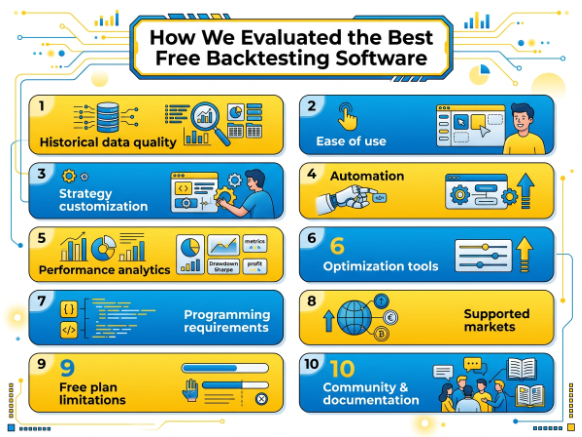
These are the criteria I used throughout the review process:
Historical Data Quality: A backtest is only as reliable as the data behind it. I paid close attention to how much historical data each platform provides, which markets are covered, and whether the data is suitable for the type of strategies traders typically run. Clean, consistent historical data always ranked higher than platforms that left too much of the data sourcing to the user. I also checked whether the platform clearly accounted for commissions, spreads, and other trading costs, because a strategy that looks profitable before costs can behave very differently once realistic assumptions are applied.
Ease of Use: I asked myself a simple question every time I tried a new platform: How quickly can I run my first meaningful backtest? Some software made that possible within minutes, while others required several hours of setup. A shorter learning curve earned higher marks, especially for tools aimed at retail traders. For the platforms I tested, the time to first meaningful backtest ranged from under an hour to several hours depending on the amount of setup and coding required.
Strategy Customization: Every trader eventually wants to test something that isn't included in the default templates. I looked at how much flexibility each platform offers, whether through scripting languages, visual rule builders, or custom indicators. The easier it was to adapt a strategy without unnecessary work, the better the score.
Automation: When I moved from testing a handful of setups to dozens of parameter combinations, manual testing became impractical. I favored platforms that can automatically execute trading rules, process historical data efficiently, and eliminate repetitive tasks that would otherwise slow down research.
Performance Analytics: In one test, a strategy with the highest total return also had a drawdown that would have been difficult for me to tolerate in live trading. I looked for software that provides useful statistics such as win rate, drawdown, profit factor, expectancy, average trade, and equity curves. These metrics make it much easier to understand why a strategy performs well—or why it doesn't.
Optimization Tools: Good backtesting software should let you refine a strategy without turning optimization into a guessing game. I compared how each platform handles parameter testing, walk-forward analysis, and repeated strategy evaluation. Some tools offer basic optimization, while others provide much more advanced capabilities for systematic research.
Programming Requirements: Not everyone wants to learn Python or a proprietary scripting language. I considered how accessible each platform is for non-programmers while also recognizing that experienced developers often prefer software with fewer limitations. Tools that balance usability with flexibility generally ranked the highest.
Supported Markets: Traders don't all focus on the same assets. Some platforms specialize in forex, while others support stocks, futures, options, crypto, ETFs, or multiple markets within a single workspace. I gave higher scores to software that covers a broad range of asset classes without sacrificing reliability.
Free Plan Limitations: Since this guide focuses on free backtesting software, I paid close attention to what you actually receive without paying. Some platforms include generous free plans with enough functionality for regular testing, while others offer only limited trials or heavily restricted versions. I weighed those limitations against the overall value each platform delivers.
Community & Documentation: Even experienced traders occasionally run into problems. Strong documentation, active user forums, tutorial videos, and community-created examples can dramatically reduce the learning curve. I generally found that platforms with larger user communities were easier to learn because answers to common questions were usually only a quick search away.
No backtesting platform is perfect for every trader. Someone building Python-based algorithms will judge software very differently from someone testing chart patterns manually. That's why I evaluated each tool against the same practical criteria instead of relying on marketing claims or feature checklists.
My goal was simple: recommend software I'd actually feel comfortable using myself, depending on the trading style and experience level.
Free vs. Paid Backtesting Software
A free backtesting tool is usually enough when you're learning the basics or validating simple trading ideas.
That's exactly how I started. I wanted to know whether a strategy had potential before paying for premium software. As my testing became more detailed, though, I began running into limitations - shorter historical datasets, fewer optimization options, and restrictions on automation.
At that point, upgrading wasn't about getting more features for the sake of it. It was about saving time and producing more reliable research.
Here's how free and paid backtesting software typically compare:
Feature | Free Backtesting Software | Paid Backtesting Software |
Historical Data | Usually provides enough history for basic testing, though available markets and data depth may be limited. | Often includes longer historical datasets, more exchanges, and higher-quality market data. |
Optimization | Basic parameter testing or no optimization at all, depending on the platform. | Advanced optimization tools, including batch testing, walk-forward analysis, and larger parameter searches. |
Automation | Supports simple automated testing on some platforms but often with restrictions. | Full automation, scheduled testing, and more flexibility for complex trading systems. |
Broker Integration | Limited broker connections or manual data imports are common. | Broader broker support with direct integrations and smoother live trading workflows. |
Export | Basic exports such as CSV or simple reports may be available. | More export formats, detailed reports, and easier integration with external analysis tools. |
Indicators | Access to core technical indicators, sometimes with limits on custom studies. | Larger indicator libraries, custom scripting, and fewer platform restrictions. |
AI Features | Rare on free plans, though a few platforms offer limited AI-assisted tools. | More likely to include AI-powered strategy analysis, trade summaries, pattern recognition, or research assistance. |
Support | Community forums, documentation, and knowledge bases are usually the primary resources. | Faster customer support, onboarding materials, and priority assistance are often included. |
From my experience, a free platform is the right place to start. You can learn the backtesting process, experiment with different strategies, and figure out what features actually matter to you.
A paid platform becomes worthwhile once you're testing strategies regularly, working with larger datasets, or relying on automation to speed up your research. If the software helps you reach better conclusions in less time, the subscription can quickly pay for itself.
Free Backtesting Software comparison
No single backtesting platform wins in every category.
After using these tools for different projects, I've found that each one has a clear strength. TradingView is hard to beat for accessibility, Backtrader gives Python developers exceptional flexibility, QuantConnect is built for systematic research, while MT5 and NinjaTrader feel most natural if you're already trading through their ecosystems.
Instead of looking for the "best" overall platform, I think it's more useful to compare the features that actually affect your workflow.
Note: The table below compares the capabilities available in the free version, community edition, or free trial (where applicable). Some advanced features may require a paid subscription or additional market data.
Feature | TradingView | Backtrader | QuantConnect | MT5 | NinjaTrader | AmiBroker* | ProRealTime* | TrendSpider* |
Historical data | ✓ | User supplied | ✓ | Broker dependent | ✓ | User supplied | ✓ | ✓ |
Multi-asset support | ✓ | ✓ | ✓ | ✓ | ✓ | ✓ | ✓ | ✓ |
Python | ✗ | ✓ | ✓ | ✗ | ✗ | ✗ | ✗ | ✗ |
Pine Script | ✓ | ✗ | ✗ | ✗ | ✗ | ✗ | ✗ | ✗ |
Walk-forward testing | Limited | ✓ | ✓ | Limited | Limited | ✓ | Limited | ✗ |
Monte Carlo | ✗ | Via external libraries | Custom implementation | ✗ | ✗ | ✓ | ✗ | ✗ |
Optimization | Basic | ✓ | ✓ | ✓ | ✓ | ✓ | ✓ | Limited |
Strategy builder | Pine Script | Python | Python / C# | MQL5 | NinjaScript | AFL | ProBuilder | Visual rules |
Broker integration | ✓ | Community supported | ✓ | ✓ | ✓ | Third-party | ✓ | ✓ |
Mobile support | ✓ | ✗ | Web access | ✓ | Limited | ✗ | ✓ | ✓ |
Community | Excellent | Strong | Strong | Excellent | Strong | Strong | Good | Good |
Documentation | Excellent | Good | Excellent | Excellent | Excellent | Excellent | Good | Good |
*AmiBroker, ProRealTime, and TrendSpider are available as free trials rather than permanent free plans.
Looking at the comparison, a few patterns stand out.
If I wanted the quickest path from an idea to a finished backtest, I'd probably choose TradingView. It's easy to learn, requires almost no setup, and works well for discretionary traders who already rely on charts.
For Python users, Backtrader and QuantConnect are in a different league. They demand more technical knowledge, but they also remove many of the limitations you'll eventually encounter with browser-based platforms.
If your primary market is forex, MT5 Strategy Tester remains one of the most practical choices because strategy development, testing, and live trading all happen inside the same environment.
For futures trading, I still prefer NinjaTrader, largely because of its Market Replay feature and strong execution tools.
Finally, if you don't enjoy coding, TrendSpider and ProRealTime offer much gentler learning curves. They let you explore strategy ideas without writing hundreds of lines of code, making them attractive options for technical traders who prefer visual workflows over programming.
Key Performance metrics explained
One lesson I learned from backtesting is that a profitable strategy isn't always a good strategy.
I've had systems that made money on paper but carried more risk than I was comfortable with. That's why I never judge a backtest by total return alone.
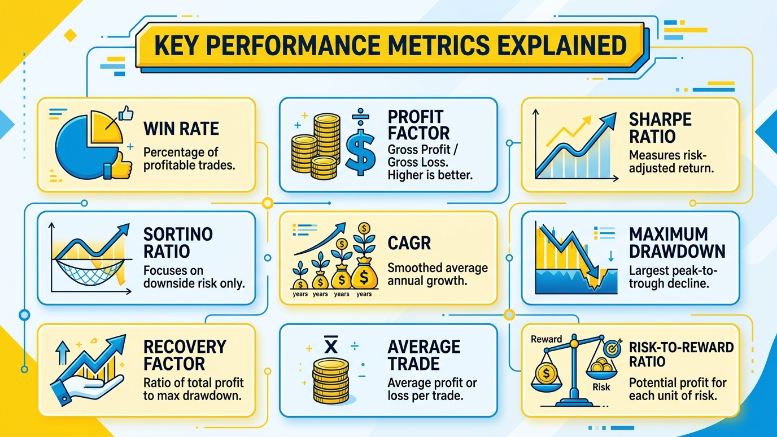
These are the metrics I pay the closest attention to before deciding whether a strategy deserves more testing:
Win Rate: This shows the percentage of trades that close in profit. A high win rate looks impressive, but it doesn't guarantee a profitable strategy. I always compare it with average winners and average losers before drawing any conclusions. I don't treat win rate as a standalone measure. I've tested strategies with high win rates that still produced poor overall results because the occasional losses were too large.
Profit Factor: Profit factor compares gross profit with gross loss. I find it much more useful than simply looking at net profit because it reveals how efficiently a strategy turns winning trades into overall returns. I usually look at profit factor alongside drawdown. A high profit factor isn't as attractive to me if it comes with an unusually deep drawdown.
Sharpe Ratio: This measures return relative to total volatility. When I'm comparing two strategies with similar returns, the one with the higher Sharpe Ratio usually delivers those results more consistently. I use Sharpe more as a comparison tool than as a standalone pass/fail metric.
Sortino Ratio: Unlike the Sharpe Ratio, Sortino focuses only on downside volatility. I prefer this metric because it penalizes harmful drawdowns rather than treating all price fluctuations as equally risky.
CAGR (Compound Annual Growth Rate): CAGR estimates the average annual growth of a strategy over time. It's helpful when comparing systems that have been tested across different time periods because it smooths out year-to-year fluctuations.
Maximum Drawdown: This tells me the largest peak-to-trough decline during a backtest. Even if a strategy produces attractive returns, I usually avoid it if the drawdown is larger than I'm willing to tolerate in a live account. This is one of the first numbers I check because it tells me whether the strategy's historical performance is compatible with the amount of risk I would realistically tolerate.
Recovery Factor: Recovery Factor compares total net profit with maximum drawdown. I use it to judge how effectively a strategy recovers after losing periods. Faster recoveries generally give me more confidence in the system.
Average Trade: Average profit per trade helps me understand whether a strategy has enough statistical edge after commissions and slippage. Small average gains can disappear quickly once real trading costs are factored in. I pay particular attention to average trade when the strategy relies on frequent entries. A small edge can disappear quickly once commissions, spreads, and slippage are included.
Risk-to-Reward Ratio: Every strategy should have a reasonable balance between potential profit and potential loss. I always compare this metric with win rate because the two work together. A strategy with a modest win rate can still perform well if its average winning trade is substantially larger than its average losing trade.