


Best Backtesting Software for Trading: Compared & Reviewed (2026)
Last Updated: July 17, 2026
Software | Best For | Markets | Coding Required | Historical Data | Free Trial | Rating |
Retail traders who want fast chart-based strategy testing | Stocks, Forex, Crypto, Futures, ETFs | Optional (Pine Script) | Built-in market data for supported exchanges | Free plan | ⭐ 4.9/5 | |
Technical traders who prefer visual strategy testing | Stocks, ETFs, Forex, Crypto | No | Included with platform | Yes | ⭐ 4.7/5 | |
Quantitative research and algorithm development | Stocks, Options, Futures, Forex, Crypto | Yes (Python/C#) | Extensive cloud-hosted datasets | Free plan | ⭐ 4.8/5 | |
Forex traders building and testing Expert Advisors | Forex, CFDs, Futures, Stocks* | Yes (MQL5) | Broker-provided historical data | Free | ⭐ 4.7/5 | |
Manual forex strategy practice and replay | Forex, CFDs, Crypto | No | Large historical forex database | Yes | ⭐ 4.6/5 | |
Price action and discretionary forex practice | Forex | No | Cloud-based replay data | Yes | ⭐ 4.6/5 | |
Python developers creating custom trading systems | Stocks, ETFs, Futures, Forex, Crypto | Yes (Python) | User-imported datasets | Free (Open Source) | ⭐ 4.8/5 | |
Active futures traders and automated strategy testing | Futures, Forex, Stocks* | Optional (NinjaScript for automation) | Included for supported markets | Free platform | ⭐ 4.7/5 | |
High-speed portfolio research and quantitative analysis | Stocks, ETFs, Futures, Forex | Yes (AFL) | User-imported or third-party data | Yes | ⭐ 4.7/5 | |
Technical traders who want advanced charting with integrated backtesting | Stocks, Forex, Futures, Options, Indices | Optional (ProBuilder) | Built-in historical market data | Yes | ⭐ 4.6/5 |
I've tested more than 100 trading ideas across different markets and timeframes, and I've learned that a strategy can look brilliant in hindsight and completely fall apart once real money is involved. That's why backtesting has become a non-negotiable part of my workflow. Before I risk a single dollar, I want to see how a strategy would have performed across different market conditions.
The challenge is choosing the right software. Some platforms are perfect for quick chart-based testing, while others are built for quantitative research, automation, or replaying historical markets.
In this guide, I'll compare the best backtesting software available today, highlight where each one shines, and help you find the option that best matches your trading style and experience level.
TradingView
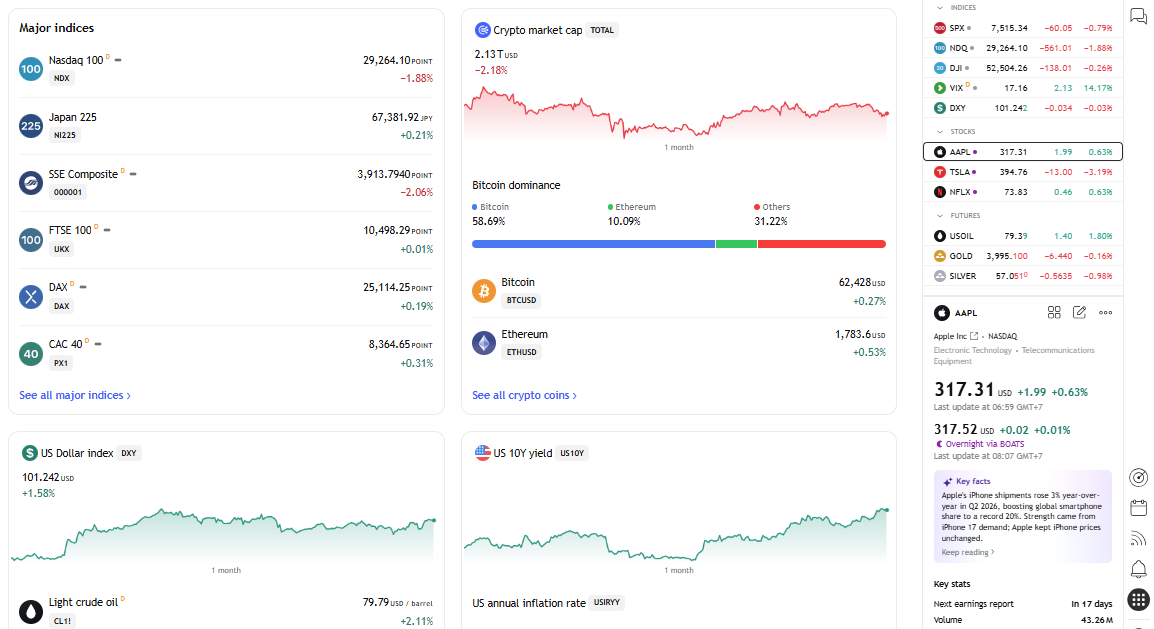
I still remember using TradingView for simple chart analysis before I realized how capable its built-in Strategy Tester had become. It wasn't the first platform I used for backtesting, but it quickly became the one I opened most often.
The biggest reason is speed. I can sketch out an idea, test it on historical data, tweak a few parameters, and immediately see whether it's worth exploring further. For discretionary traders, that fast feedback loop is incredibly valuable. For example, when I was testing moving-average and breakout ideas, I could usually go from the initial hypothesis to a first usable backtest in 15–30 minutes. I wouldn't consider that a final validation, but it was fast enough to eliminate weak ideas before spending more time on them.
According to TradingView, the platform serves more than 100 million traders and investors worldwide, making it one of the largest online communities for market analysis and strategy development. That active user base also means there's no shortage of indicators, scripts, and educational resources to learn from. (Source: https://www.tradingview.com/about/)
Key Features
Built-in Strategy Tester for evaluating Pine Script strategies on historical data.
Bar Replay mode to manually step through historical price action without seeing future candles.
Thousands of community-built indicators and public trading strategies.
Pine Script for creating custom indicators, alerts, and automated trading logic.
Multi-timeframe chart analysis with synchronized layouts across different markets.
Browser-based platform with desktop and mobile apps, so your workspace stays in sync.
Pros
After using TradingView for more than 3 years and running well over 100 strategy tests on the platform, a few strengths continue to stand out.
The interface is clean enough that beginners can start testing ideas within minutes.
Bar Replay is one of my favorite tools for practicing discretionary trading because it forces me to make decisions without hindsight. I've used Bar Replay across more than 30 practice sessions, mainly to review entries and exits on setups I had already tested historically. The biggest benefit for me wasn't generating a performance report. It was discovering how different my decisions felt when I couldn't see the next candle.
The Pine Script community is enormous. Chances are someone has already built a script similar to what you're trying to create.
Since everything runs in the cloud, I can switch between my desktop and phone without worrying about local files. I also found this useful when comparing the same setup across multiple timeframes. In one testing session, I could move from a 5-minute chart to a 1-hour and daily chart without rebuilding my workspace. That small convenience saved me a noticeable amount of setup time during repeated testing.
Cons
TradingView works well for most retail traders, but it isn't perfect.
Advanced quantitative research is limited compared with platforms like QuantConnect or Backtrader.
Portfolio-level testing isn't as flexible as dedicated quantitative research software.
Very complex strategies can become difficult to manage as Pine Script projects grow larger.
Historical data availability varies depending on the market and your subscription plan.
Free Limitations
The free plan is generous enough to learn the platform and run basic backtests, but there are trade-offs. You'll have fewer simultaneous charts, a smaller number of active indicators per chart, and limited alerts. Some historical data, premium indicators, and advanced features are also reserved for paid subscriptions.
Best For
If someone asked me to recommend one platform for learning backtesting, TradingView would probably be my first answer.
It's an excellent fit for beginners, swing traders, technical analysts, and discretionary traders who want to validate ideas quickly without spending days configuring software. It's also a practical choice for traders who work across multiple markets, including stocks, forex, crypto, futures, and ETFs.
Pricing
Free: $0/month
Essential: $14.95/month
Plus: $34.95/month
Premium: $69.95/month
Ultimate: $239.95/month
Source: https://www.tradingview.com/pricing/.
User reviews
Producthunt: 4.8/5 star rating
TrendSpider
What surprised me most about TrendSpider wasn't its charting, it was how much repetitive work it removed from my routine. After testing more than 20 technical setups on the platform, I noticed that the biggest time savings came from automating chart analysis rather than from the backtesting feature itself.
On most platforms, I'd spend time drawing trendlines, marking support and resistance, then manually checking whether a setup had worked in the past.
TrendSpider automates much of that process, which lets me spend more time evaluating ideas instead of preparing charts. It's not a replacement for good judgment, but it can noticeably speed up technical research.
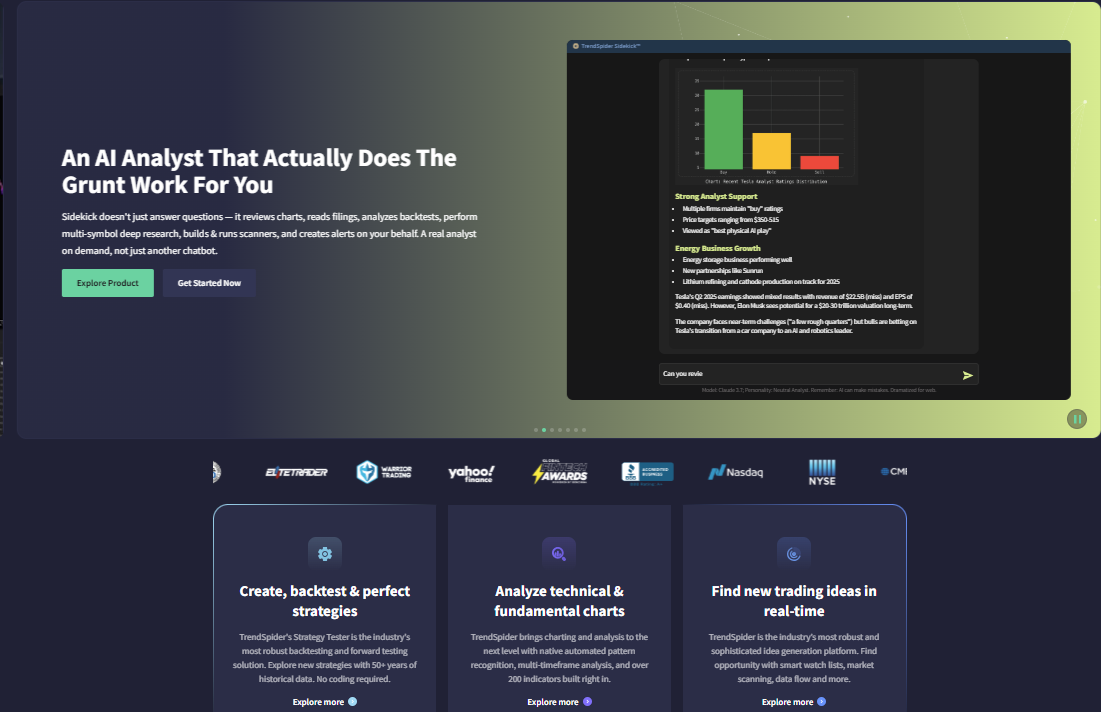
According to TrendSpider's official documentation, its Strategy Tester supports no-code strategy creation, AI-assisted strategy generation, long and short testing, and AI-generated explanations of backtest results, making it one of the few retail platforms to combine strategy testing with built-in AI assistance. (Source: https://help.trendspider.com/kb/strategy-tester/what-is-the-strategy-tester)
Key Features
No-code Strategy Tester with visual rule building.
AI-assisted strategy creation from natural-language prompts.
Automated trendlines, support and resistance detection.
Multi-timeframe analysis across synchronized charts.
Market Scanner for finding setups that match predefined conditions.
Cloud-based alerts that continue running even when your computer is offline.
Pros
After spending time with the platform, these are the features I appreciated most.
I can test technical ideas without writing code.
Automated chart analysis saves a surprising amount of manual work. In several of my testing sessions, I used the automated trendline and support/resistance tools to review setups across dozens of charts instead of marking each level manually. That made the platform particularly useful when I wanted to compare the same technical idea across a larger watchlist.
The visual workflow makes experimenting with different setups much faster.
AI-generated strategy summaries are useful for spotting obvious weaknesses before digging deeper.
Cons
It isn't built for highly customized quantitative models.
Traders who enjoy coding may eventually feel constrained by the visual strategy builder.
Subscription costs are higher than several competing platforms.
Portfolio-level research is less flexible than dedicated quantitative software.
Free Limitations
TrendSpider doesn't offer a permanent free plan. Instead, you can explore the platform through a free trial before deciding whether its workflow fits your trading style. Most advanced automation and AI features require a paid subscription.
Best For
I'd recommend TrendSpider to technical traders who rely on chart patterns, trendlines, moving averages, and price action. If your goal is to test ideas visually rather than build complex algorithms, it offers one of the smoothest experiences I've used.
Pricing
Free: $0/month
Enhanced: 14 days for $39 or subscribe now for $87.84/month (when paid yearly)
Premium: 14 days for $29 or subscribe now for $65.52/month (when paid yearly)
Standard: 14 days for $19 or subscribe now for $52.38/month (when paid yearly)
Source: https://trendspider.com/pricing/
User reviews
Trustpilot: 4.8/5 star rating
Capterra: 4.4/5 star rating
QuantConnect
When I first started experimenting with algorithmic trading, I spent dozens of hours organizing data and configuring research environments instead of actually researching strategies.
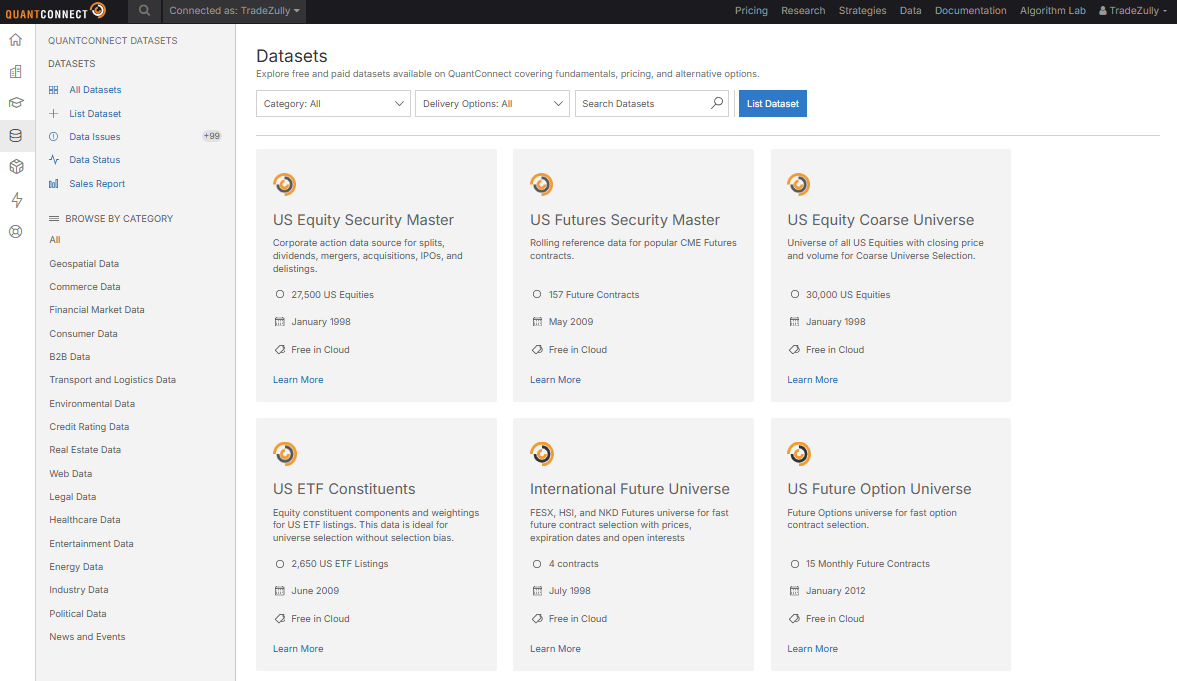
QuantConnect solved much of that problem. Instead of downloading datasets, configuring local environments, and maintaining infrastructure, I could focus on writing code and evaluating ideas. That shift alone made my research process noticeably more efficient. In one of my earlier workflows, I could spend 2–3 hours preparing data and configuring the environment before writing a meaningful test. Moving to a more integrated research workflow cut much of that preparation time and let me focus on the strategy itself.
According to QuantConnect, its cloud platform serves more than 50,000 quantitative traders every month, while the open-source LEAN engine supports research, backtesting, optimization, and live deployment across multiple asset classes - Source
Key Features
Cloud-based research environment powered by the LEAN engine.
Strategy development using Python or C#.
Historical datasets covering equities, ETFs, options, futures, forex, and crypto.
Portfolio backtesting with realistic brokerage and transaction cost models.
Parameter optimization and walk-forward testing.
Direct transition from research to live algorithm deployment.
Pros
A few things convinced me to keep using QuantConnect.
I don't have to manage historical datasets manually.
Python support makes strategy development much more flexible.
The LEAN engine handles events like stock splits and dividends automatically.
Testing across multiple asset classes feels seamless compared with many desktop platforms.
Cons
There's a noticeable learning curve if you've never programmed before.
The interface focuses on research rather than charting.
Building sophisticated algorithms still requires coding knowledge.
Beginners looking for simple visual backtests may find the platform overwhelming.
Free Limitations
The free plan includes access to the research environment and core backtesting features, but cloud resources and certain premium datasets have usage limits. More advanced computing capacity is available through paid plans.
Best For
I'd recommend QuantConnect to traders who are serious about systematic trading, portfolio research, or quantitative investing. If you're comfortable writing Python and want room to scale beyond simple chart-based strategies, it's one of the strongest platforms available.
Pricing
Free: $0/month
RESEARCHER: $84/month
TEAM: $168 per user/month
TRADING FIRM: $480 per user/month
INSTITUTION: $1272 per user/month
Source: https://www.quantconnect.com/pricing.
User reviews
Trustpilot: 4.5/5 star rating
MetaTrader 5 (MT5)
Long before I explored dedicated backtesting software, MetaTrader 5 was where I tested more than 50 forex strategy ideas, ranging from simple indicator-based systems to Expert Advisor concepts.
The biggest advantage is convenience. That convenience became especially obvious when I was running repeated tests on the same strategy. I could change a parameter, rerun the test, and compare the result without moving data between separate applications.
I can build an Expert Advisor, run a historical test, optimize parameters, and analyze the results without moving between different applications. If you already trade through MT5, the entire workflow feels familiar from day one.
The MetaTrader 5 Strategy Tester supports multi-threaded processing, multi-currency testing, and distributed optimization through the MQL5 Cloud Network, allowing traders to accelerate large optimization tasks by using thousands of remote computing agents. (Source: https://www.metatrader5.com/en/terminal/help/algotrading/testing)
Key Features
Integrated Strategy Tester built directly into MetaTrader 5.
Multi-threaded optimization using all available CPU cores.
Multi-currency testing for automated strategies.
Visual Mode for replaying historical trades on live charts.
Support for Expert Advisors developed in MQL5.
Distributed optimization through the MQL5 Cloud Network.
Pros
These are the strengths that keep bringing me back.
Everything happens inside one platform, from development to testing.
Optimization runs much faster than older MetaTrader versions.
Strong broker support makes moving from backtesting to live trading straightforward.
The detailed reports make it easy to review trade statistics and drawdowns.
Cons
Writing Expert Advisors requires learning MQL5.
Historical data quality still depends on the connected broker.
The interface feels dated compared with newer cloud platforms.
Portfolio-level analysis isn't as flexible as specialized quantitative software.
Free Limitations
The Strategy Tester is included free with MetaTrader 5, but available historical data depends on your broker. Some brokers provide deeper price history than others, so I always verify the dataset before trusting the results of a long-term backtest. I've seen how different historical data availability can affect the outcome of the same strategy, which is why I now check the available date range and symbol history before comparing results from different brokers.
Best For
MetaTrader 5 is an excellent choice for forex traders who already execute trades through MT5 and want to test automated strategies before deploying them. It's also a practical option for traders building Expert Advisors without investing in separate backtesting software.
Pricing
MetaTrader 5 is free to download and use. Costs come from your broker's trading account rather than the platform itself. Additional expenses may apply if you purchase Expert Advisors, indicators, or cloud optimization resources through the MQL5 ecosystem.
User reviews
Capterra: 4.4/5 star rating
Forex Tester
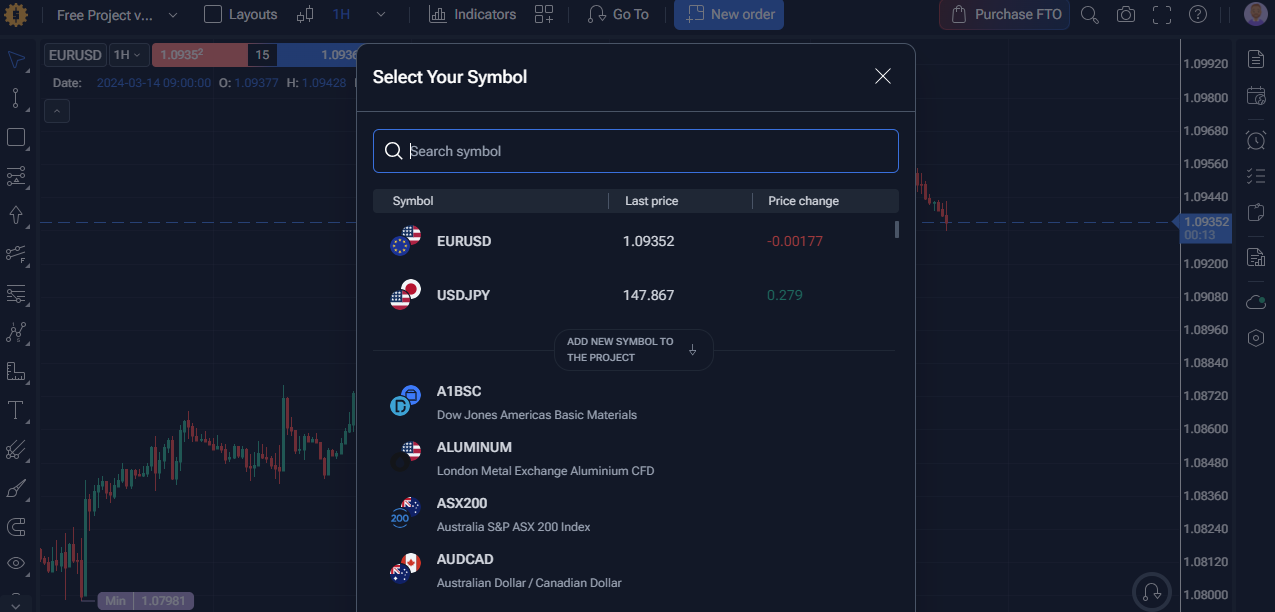
If I want to improve my execution rather than optimize an algorithm, Forex Tester is usually one of the first tools I consider. After using it across more than 30 replay sessions, I found that its biggest value for me was identifying execution mistakes that were easy to overlook in a conventional backtest. Instead of generating a performance report from a script, it lets me experience each trade as if the market were unfolding live.
That simple difference changes how I evaluate a strategy. I find it much easier to spot hesitation, poor entries, or exits that look obvious only in hindsight.
Forex Tester includes more than 20 years of historical market data for major Forex pairs and supports manual strategy practice with realistic market replay, making it a popular choice among discretionary traders. (Source: https://desktop.forextester.com/historyservicedescription)
Key Features
Historical market replay with adjustable playback speed.
Manual trade simulation in a realistic trading environment.
Multi-chart workspace with multiple timeframes.
Built-in trading journal and performance statistics.
Support for custom indicators and Expert Advisors.
Risk management tools for position sizing and trade analysis.
Pros
After using Forex Tester, a few things stood out to me.
It recreates the experience of live trading surprisingly well.
I can pause, rewind, and replay difficult market conditions without pressure.
Performance reports make it easy to identify recurring mistakes.
The learning curve is much shorter than most algorithmic platforms.
Cons
It's focused on manual trading rather than quantitative research.
Portfolio-level testing is fairly limited.
Most advanced features require a paid license.
It doesn't offer the flexibility of Python-based frameworks.
Free Limitations
Forex Tester offers a free trial, but access to historical data and premium functionality is restricted. To unlock the complete dataset and full replay capabilities, you'll need a paid license.
Best For
I'd recommend Forex Tester to discretionary forex traders who want to sharpen their decision-making. If your strategy depends on reading price action rather than writing code, it's one of the closest experiences to practicing in a live market without risking real capital.
Pricing
Starter: $13.25/month
Pro: $19.92/month
Source: https://forextester.com/?s=yearly#pricing-start
User reviews
Capterra: 4.5/5 star rating
Trustpilot: 4.1/5 star rating
FX Replay
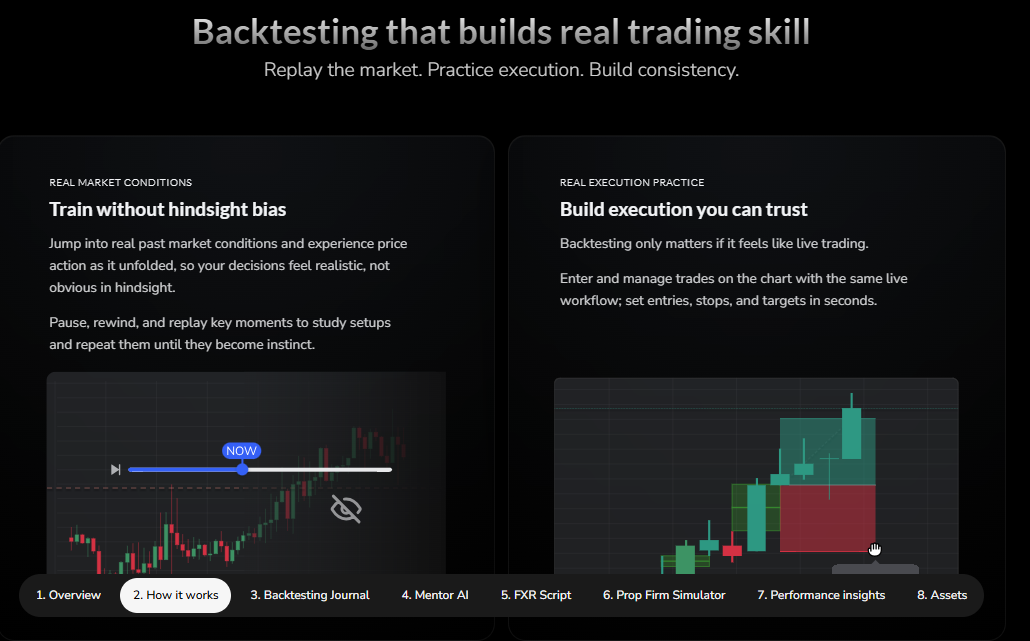
One thing I appreciate about FX Replay is how quickly I can jump into a practice session. After completing more than 30 replay sessions, I found that the lack of installation and complicated setup made it much easier to practice consistently.
There's no software to install or complicated setup process. I simply choose a market, select a date, and start replaying historical price action. For traders trying to build consistency, that convenience makes it much easier to practice regularly instead of putting it off. My typical session lasted around 30–60 minutes, which was long enough to review a specific setup without turning practice into an all-day research project.
FX Replay provides tick-based historical replay with spread simulation, multiple playback speeds, and TradingView-powered charts, allowing traders to review past market sessions in a realistic environment. (Source: https://www.fxreplay.com/)
Key Features
Browser-based historical market replay.
Tick-by-tick playback with adjustable speed.
TradingView chart interface.
Simulated order execution with performance tracking.
Multi-timeframe analysis during replay.
Cloud-based workspace accessible from any device.
Pros
These are the features I found most useful.
I can start practicing within minutes without installing desktop software.
The TradingView interface feels familiar from the beginning.
Replay sessions are smooth and easy to control.
My practice history stays synchronized online.
Cons
It's built specifically for replay trading rather than advanced quantitative analysis.
Asset coverage is narrower than some all-in-one platforms.
Strategy automation isn't the primary focus.
Advanced research metrics remain fairly basic.
Free Limitations
FX Replay includes a free plan with limited replay history and feature restrictions. Access to longer historical datasets and additional functionality requires a paid subscription.
Best For
I'd recommend FX Replay to forex traders who want to improve execution, build confidence, and practice price action repeatedly without opening a demo account. It's especially useful for traders who already use TradingView and prefer a familiar charting experience.
Pricing
Intermediate: $17.99/month
Pro: $35/month
Source: https://www.fxreplay.com/pricing.
User reviews
Trustpilot: 4.2/5 star rating
Backtrader
Backtrader isn't the type of platform I recommend to everyone. But after building and testing dozens of Python-based strategy variations, I found that its biggest advantage is the level of control it gives me over the entire research process. If someone asks for an easy way to replay charts, there are better choices. But when I need complete control over a trading system, it's still one of my favorites.
I can decide how data is processed, customize every rule, and build strategies that would be difficult to reproduce in most visual platforms. The trade-off is setup time. For a simple idea, I can often test it faster in TradingView. For a strategy with custom execution rules or more complex portfolio logic, however, the extra setup work becomes worthwhile.
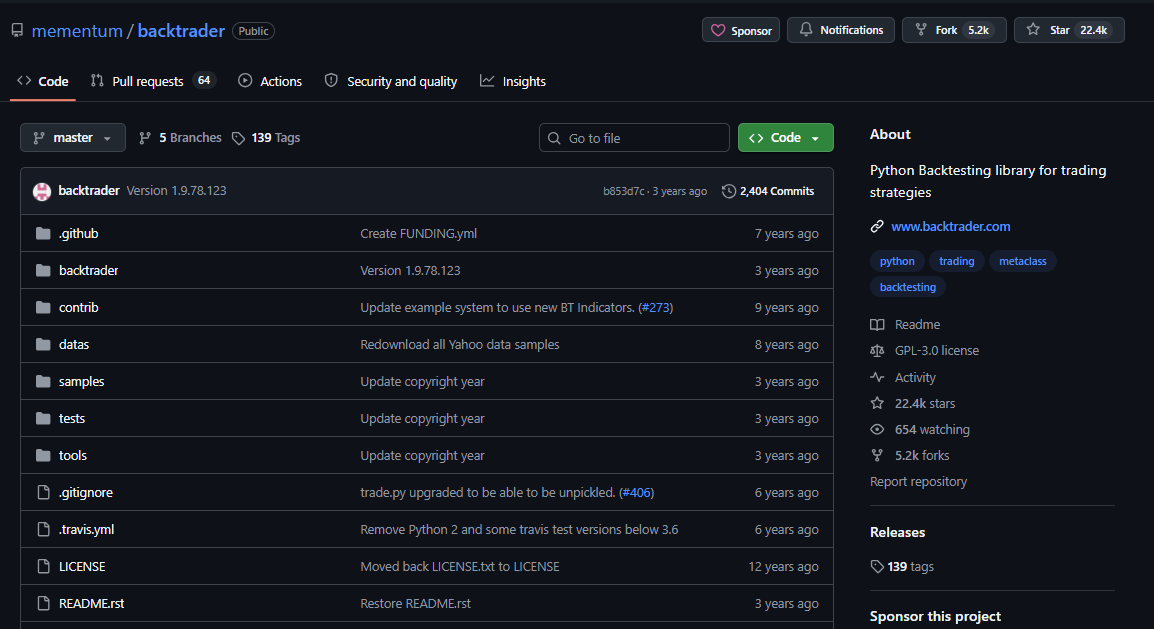
Backtrader is an open-source Python framework that has become one of the most widely used libraries for quantitative strategy development. Its official documentation includes support for multi-data feeds, portfolio backtesting, optimization, live broker connectivity, and extensive customization through Python.
Key Features
Fully open-source framework written in Python.
Strategy development with complete access to the source code.
Portfolio and multi-asset backtesting.
Parameter optimization for systematic strategies.
Integration with multiple data feeds and broker APIs.
Support for custom indicators, analyzers, and trading logic.
Pros
From my experience, Backtrader excels in areas where visual platforms eventually become limiting.
Python gives me complete flexibility over every part of the strategy.
I can customize nearly every component of the backtesting engine.
Large community resources make solving technical problems much easier.
There's no licensing cost since the framework is open source.
Cons
Beginners without programming experience may find it intimidating.
It doesn't include built-in historical datasets.
There's no graphical interface for creating strategies.
Initial setup takes longer than cloud-based alternatives.
Free Limitations
There aren't many feature restrictions because Backtrader is free and open source. The biggest limitation is that you'll need to supply your own historical data and configure your research environment before you can begin testing.
Best For
Backtrader is an excellent choice for Python developers, quantitative traders, and researchers who want complete control over their backtesting workflow. If you enjoy building systems from the ground up instead of working inside predefined interfaces, it's one of the strongest free frameworks available.
Pricing
Backtrader is completely free and open source under the GNU General Public License (GPL). There are no subscription fees, though you may incur costs for premium market data or external infrastructure depending on your workflow.
User reviews
NinjaTrader
NinjaTrader is one of the few platforms I reach for when testing futures strategies. After using it to replay more than 20 historical futures sessions, I found that the biggest benefit wasn't simply seeing whether a strategy was profitable. It was understanding how execution decisions affected the outcome. What keeps me coming back isn't just the Strategy Analyzer.
It's the ability to move naturally between replaying a trading session, adjusting a strategy, and testing it again. That workflow feels much closer to how I actually improve a trading system than simply reviewing a spreadsheet of statistics.
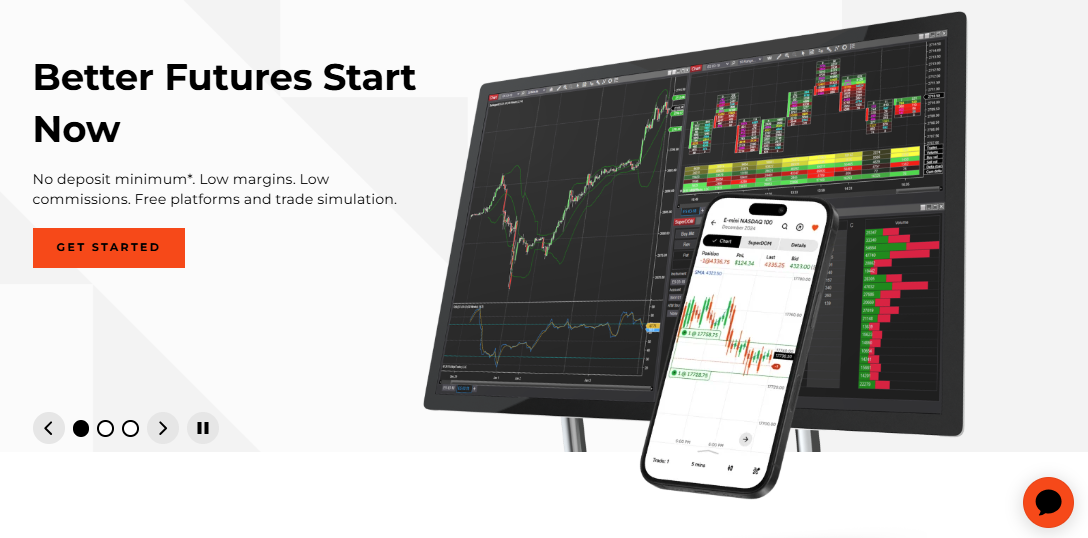
One feature I rely on quite often is Playback (formerly Market Replay). NinjaTrader now allows traders to replay historical tick data at speeds ranging from 100x up to the maximum speed supported by the CPU, while maintaining accurate sequencing of Level I and Level II market data.- Source
Key Features
Historical Strategy Analyzer with detailed performance reports.
Walk-forward optimization and parameter optimization.
Monte Carlo simulation for evaluating strategy robustness.
Market Replay for practicing historical trading sessions.
Custom strategy development with NinjaScript (C#).
Integration with supported futures brokers.
Pros
A few strengths have consistently stood out during my testing.
The Market Replay feature is excellent for reviewing execution decisions. In several replay sessions, I caught mistakes that wouldn't have been obvious from a standard performance report, particularly entering late, chasing price after a breakout, and exiting too quickly after a losing trade.
Performance reports include enough detail to diagnose weak strategies.
Optimization tools are powerful without feeling overly complicated.
The platform transitions smoothly from testing to live execution.
Cons
The interface takes time to get used to.
Building automated strategies requires learning NinjaScript.
It's much stronger for futures than for traders focused solely on stocks.
Some advanced capabilities depend on the connected data provider.
Free Limitations
The free version lets you explore the platform and perform basic analysis, but certain brokerage connections, premium market data, and advanced functionality depend on your account type or data subscription.
Best For
I'd recommend NinjaTrader to active futures traders and anyone developing rule-based strategies for intraday markets. If execution quality matters as much as raw performance metrics, its replay tools are among the best I've used.
Pricing
Free: $0/month
Monthly: $99/month
Lifetime: $1499/month
Source: https://ninjatrader.com/pricing/.
User reviews
Trustpilot: 3.9/5 star rating
AmiBroker
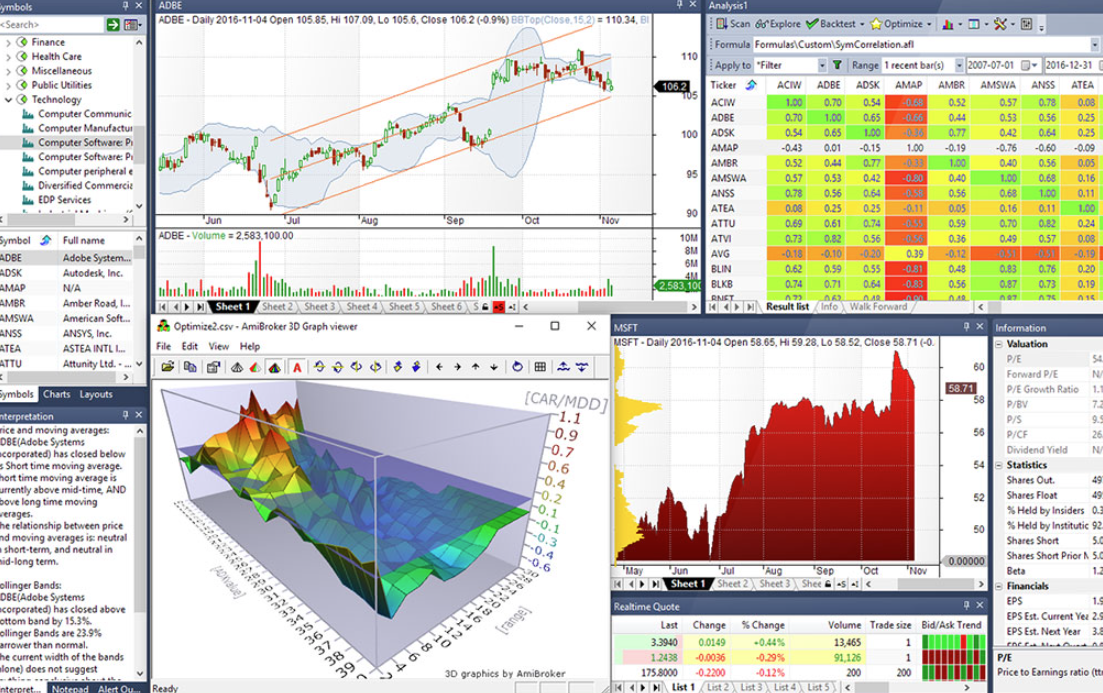
The first thing I noticed about AmiBroker was how fast it handled large datasets.
Even when I tested more than 500 symbols across multiple strategy variations, the software remained responsive.
It isn't the most modern-looking platform, but once I became comfortable with the workflow, I understood why so many quantitative traders continue to rely on it.
According to AmiBroker, its proprietary AmiBroker Formula Language (AFL) is optimized for high-speed analysis and supports portfolio backtesting, custom indicators, optimization, and extensive automation for systematic trading research. (Source: https://www.amibroker.com/guide/h_backtest.html)
Key Features
Portfolio-level backtesting across multiple symbols.
AFL scripting language for custom strategies.
High-speed optimization engine.
Custom indicators, scans, and exploration tools.
Support for third-party market data providers.
Detailed trade statistics and performance reports.
Pros
After spending time with AmiBroker, these were the biggest advantages I found.
Backtests run exceptionally fast, even on large watchlists. That speed became particularly noticeable when I compared the same strategy across large stock universes. Instead of waiting through long testing cycles for every variation, I could iterate much faster and eliminate weak ideas earlier.
AFL offers plenty of flexibility without being overly verbose.
Portfolio testing is much stronger than many browser-based platforms.
The user community has created thousands of reusable scripts over the years.
Cons
The interface feels dated compared with newer cloud platforms.
Historical data must be imported from supported providers.
Beginners may need time to learn AFL.
There isn't a native mobile experience.
Free Limitations
AmiBroker offers a free trial that lets you evaluate the platform before purchasing a license. Continued use and several advanced capabilities require the commercial version.
Best For
I'd recommend AmiBroker to experienced traders and researchers who analyze large numbers of securities or regularly optimize systematic strategies. If speed is a priority, it's one of the strongest desktop platforms available.
Pricing
Free: $0/month
Standard: $299/24 months
Professional: $379/24 months
Ultimate: $499/24 months
Source: https://www.amibroker.com.
User reviews
Trustpilot: 3.6/5 star rating
ProRealTime
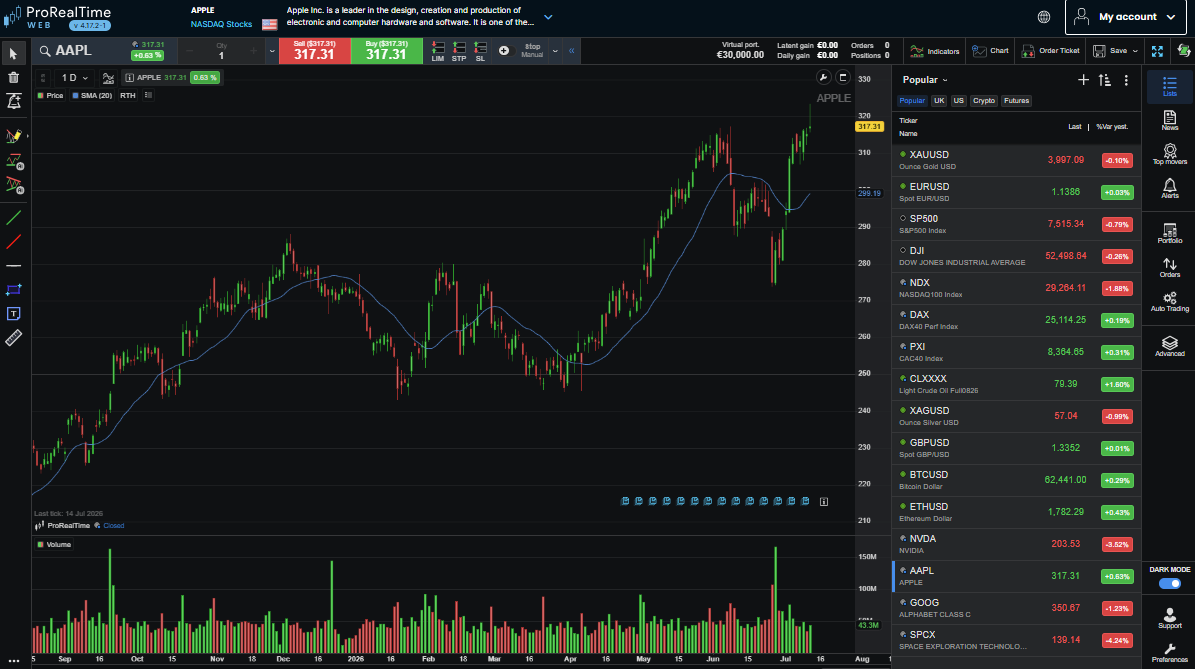
ProRealTime feels different from many desktop trading platforms because it balances powerful analysis with a surprisingly approachable interface.
I didn't have to spend several hours learning complicated menus before running my first backtest. For the first few strategies I tested, I could move from building the basic rules to reviewing the initial results within 30–60 minutes. That made it easier to experiment without feeling like every new idea required a separate learning session.
Instead, I could build a strategy, review the results, and refine it without feeling like I was fighting the software.
According to ProRealTime, the platform includes ProBacktest, ProBuilder, and ProScreener, allowing traders to create custom indicators, test automated strategies, and scan thousands of financial instruments within the same environment. (Source: https://www.prorealtime.com/)
Key Features
ProBacktest engine for historical strategy testing.
ProBuilder language for custom indicators and trading systems.
Integrated market scanner with ProScreener.
Multi-timeframe charting across global markets.
Automated trading support through ProOrder.
Built-in historical market data.
Pros
Several aspects made the platform enjoyable to use.
The interface is easier to learn than many professional desktop platforms.
Historical data is already integrated, so setup is minimal.
Building simple trading systems doesn't require advanced programming skills.
Charting quality is consistently excellent across different asset classes.
Cons
Some advanced automation features require a paid subscription.
The scripting language isn't as flexible as Python.
Third-party integrations are more limited than on open-source platforms.
Power users may eventually outgrow its customization options.
Free Limitations
ProRealTime offers a free version with end-of-day market data for many instruments. Real-time data, expanded automation, and premium features are available through paid plans or qualifying brokerage accounts.
Best For
I'd recommend ProRealTime to traders who want professional-grade charting and backtesting without diving into a full programming framework. It's especially well suited to swing traders, technical analysts, and active investors working across multiple markets.
Pricing
Free: $0/month
Complete: $32/months
Premium: $91/months
Source: https://www.prorealtime.com/en/our-offers
User reviews
Trustpilot: 4.8/5 star rating
Read more » Best Backtesting Software Free: Reviews, Comparisons & Top Pick
Best Backtesting Software by trading style
After testing these platforms across more than 100 strategy ideas, I noticed a consistent pattern: the platform that works best for one trading style can be a poor fit for another. I found that chart-based traders usually benefit more from speed and visual feedback, while systematic traders tend to care more about data quality, optimization, and automation.
Best for beginners
TradingView: If someone is completely new to backtesting, this is usually where I tell them to begin. The interface is intuitive, historical charts are built in, and the Strategy Tester lets you validate simple ideas without spending hours learning complicated software.
ProRealTime: I like ProRealTime because it offers a good balance between ease of use and powerful features. You can create and test strategies without feeling overwhelmed, making it a comfortable next step once you've outgrown basic charting tools.
Best for day trading
NinjaTrader: Day traders need more than historical returns—they need to review execution. NinjaTrader's Market Replay feature makes it easy to replay entire sessions and study entries, exits, and trade management as if the market were happening in real time. I've personally found this difference after replaying more than 20 intraday futures sessions. A strategy can show acceptable statistics in a backtest and still feel difficult to execute when the market moves quickly.
FX Replay: I often recommend FX Replay to discretionary traders who want more screen time. The browser-based replay environment is quick to access, and practicing the same setup repeatedly helped me become more consistent with execution. In my case, repeating the same setup across 30+ replay sessions made it easier to recognize whether a problem came from the strategy itself or from inconsistent execution.
Best for swing trading
TradingView: Swing traders rarely need highly complex infrastructure. TradingView gives you everything necessary to test multi-day or multi-week strategies while combining excellent charting with an active community that constantly shares new ideas.
TrendSpider: If your trading depends on trendlines, support and resistance, or chart patterns, TrendSpider saves a noticeable amount of time. Its automated technical analysis lets me evaluate ideas much faster than drawing every chart manually.
Best for algorithmic trading
QuantConnect: When I need to build a fully automated trading system, QuantConnect is one of the first platforms I consider. I've used it for dozens of algorithmic strategy experiments, particularly when I needed to test portfolio logic that would have been cumbersome to reproduce in a chart-based platform. The cloud-based LEAN engine supports Python and C#, realistic portfolio testing, and a smooth path from research to live deployment.
MetaTrader 5 (MT5): MT5 remains one of the strongest choices for algorithmic forex trading. Developing an Expert Advisor, optimizing it, and deploying it to a broker all happen within the same ecosystem, which keeps the workflow simple.
Best for quant traders
AmiBroker: Speed is AmiBroker's biggest advantage. When I tested strategies across 500+ symbols and multiple parameter combinations, the ability to iterate quickly became much more valuable than having a modern-looking interface. I can run large portfolio tests, optimize hundreds of symbols, and iterate through strategy ideas quickly, making it an excellent desktop platform for systematic research.
QuantConnect: QuantConnect is ideal for traders who rely on data rather than visual chart analysis. Built-in datasets, portfolio modeling, and Python support make it well suited to developing institutional-style trading strategies.
Best no-code backtesting software
TrendSpider: If you don't want to learn programming, TrendSpider is hard to overlook. Its visual strategy builder lets you create, test, and refine trading rules without writing code, while AI-assisted features can speed up the research process.
Forex Tester: Forex Tester focuses on manual practice instead of automation. I like using it to replay historical markets because it helps improve decision-making without requiring any scripting or technical setup.
Best Python backtesting platform
Backtrader: Whenever I need complete control over a strategy, Backtrader is still one of my favorite frameworks. Everything is written in Python, and I can customize nearly every part of the backtesting process, from data feeds to performance analysis.
QuantConnect: QuantConnect combines Python with cloud computing and professional-grade infrastructure. It removes much of the work involved in managing datasets and lets me focus on researching, testing, and refining trading strategies instead of maintaining the environment.
Best Backtesting Software by market
Best Backtesting Software for stocks
TradingView: For most stock traders, TradingView offers the best balance of usability and functionality. I can test technical strategies, review historical price action, and switch between thousands of listed companies without spending time importing data or configuring the platform.
AmiBroker: When I'm working with large stock watchlists or portfolio-level strategies, AmiBroker is usually the better fit. Its optimization engine is incredibly fast, making it much easier to compare multiple ideas across hundreds of symbols.
Best Backtesting Software for forex
MetaTrader 5 (MT5): If your broker already supports MT5, it's difficult to ignore. The built-in Strategy Tester, multi-currency optimization, and Expert Advisor support make it one of the most complete environments for forex strategy development.
Forex Tester: Forex Tester isn't designed for algorithmic trading, but it's excellent for improving execution. I like using it to replay historical sessions because it helps me practice entries, exits, and trade management without risking real capital.
Best Backtesting Software for futures
NinjaTrader: Futures traders will get the most value from NinjaTrader's Strategy Analyzer and Market Replay. Being able to replay an entire session has helped me understand execution mistakes that would have been easy to overlook in a standard backtest report.
QuantConnect: For systematic futures trading, QuantConnect offers much more flexibility. I can test diversified portfolios, automate complex strategies, and work with multiple futures contracts inside a single research environment.
Best Backtesting Software for options
Option Alpha: If your focus is options rather than directional trading, Option Alpha makes strategy testing much more approachable. Its visual automation tools are easier to learn than traditional coding frameworks, especially for traders building rule-based options strategies.
QuantConnect: QuantConnect is one of the stronger choices for quantitative options research. It supports options data, portfolio modeling, and custom strategy development, giving experienced traders plenty of room to experiment with more sophisticated ideas.
Best Backtesting Software for crypto
TradingView: I still use TradingView regularly for crypto research because most major exchanges are already integrated. Testing ideas across Bitcoin, Ethereum, and other cryptocurrencies feels straightforward, and the charting experience remains one of the best available.
Backtrader: For traders building automated crypto systems, Backtrader offers complete flexibility. As long as I have reliable historical data, I can create custom indicators, connect exchange APIs, and test strategies without being limited by a predefined workflow.
How we evaluated the best Backtesting Software?
I've learned that choosing backtesting software isn't about finding the platform with the longest feature list. It's about finding one that fits the way you trade.
Some traders need a simple chart and a replay button. Others need portfolio simulations, custom Python code, or advanced optimization. Because of that, I didn't score these platforms based on marketing claims or popularity alone.
I evaluated 10 backtesting platforms across different workflows, from manual market replay and chart-based testing to Python research, portfolio optimization, and automated strategy development.
Rather than judging each platform from a single test, I used them across multiple strategy types and market conditions. In total, my evaluation covered more than 100 strategy ideas, including technical setups, systematic strategies, and algorithmic concepts.
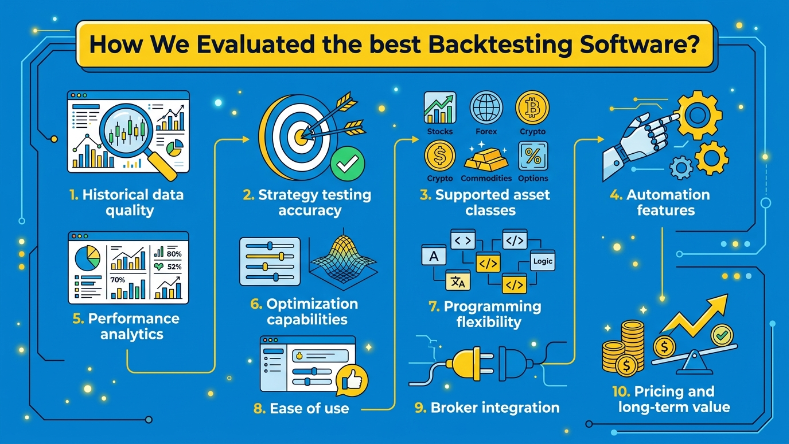
Here are the factors that mattered most during my evaluation. I also paid attention to how much time each platform added or removed from my workflow. For example, some tools let me run an initial test within 15–30 minutes, while others required several hours of environment setup before I could begin meaningful research:
Historical Data Quality: A backtest is only as good as the data behind it. I paid close attention to how much historical data each platform provides, how frequently it's updated, and whether the data is clean enough for meaningful testing. Reliable price history always mattered more to me than having dozens of extra features.
Strategy Testing Accuracy: I wanted software that does more than generate an equity curve. The better platforms handle order execution rules, commissions, slippage, and other variables that can materially change the outcome of a strategy. Those details make the results much closer to what I'd expect in live trading.
Supported Asset Classes: Not everyone trades the same market. Some platforms excel at forex, while others are stronger for stocks, futures, options, or crypto. I gave higher scores to software that supports multiple asset classes without forcing traders to switch between different applications.
Automation Features: As strategies become more sophisticated, automation becomes increasingly important. I looked at whether each platform supports automated strategy execution, parameter testing, scheduled backtests, or cloud-based research. These features can save hours of repetitive work.
Performance Analytics: A profitable strategy isn't necessarily a good strategy. I favored software that reports metrics such as win rate, profit factor, drawdown, expectancy, Sharpe Ratio, and trade distribution. Those statistics make it much easier to understand where a strategy performs well—and where it breaks down.
Optimization Capabilities: Testing one version of a strategy is rarely enough. I evaluated how each platform handles parameter optimization, walk-forward analysis, and other tools that help traders refine a system without relying on guesswork.
Programming Flexibility: Some traders prefer visual strategy builders, while others want complete control through Python, C#, or proprietary scripting languages. Rather than favoring one approach, I considered how well each platform serves its intended audience. The best software is the one that matches your technical background.
Ease of Use: Powerful features lose their value if the platform is frustrating to learn. I considered how long it took to run a first backtest, how intuitive the interface felt, and whether common tasks could be completed without constantly referring to documentation.
Broker Integration: Moving from backtesting to live trading should be as seamless as possible. Platforms with direct broker connections, reliable data synchronization, and straightforward deployment earned higher marks because they reduce unnecessary friction once a strategy is ready to go live.
Pricing and Long-Term Value: Cost was only part of the equation. I was more interested in whether a platform delivers enough value to justify its price over time. Some free tools are more than capable for discretionary traders, while paid software often becomes worthwhile once you need advanced optimization, broader market coverage, or professional research tools.
No platform topped every category, and I didn't expect one to. Instead of declaring a single winner, I focused on identifying the strengths and trade-offs of each tool. That approach reflects how traders actually choose software: not by finding the platform with the most features, but by finding the one that fits their trading style, experience, and long-term goals.
Backtesting Software comparison
After testing these platforms over time, I've stopped looking for a single "best" option. Each one has a different purpose.
TradingView is great for validating chart-based ideas, Backtrader and QuantConnect give developers far more flexibility, while MT5 and NinjaTrader fit naturally into existing trading workflows. The comparison below highlights the differences that matter most when deciding which platform is worth your time.
Feature | TradingView | Backtrader | QuantConnect | MT5 | NinjaTrader | AmiBroker | ProRealTime | TrendSpider |
Historical data | Built in | Import your own | Built in | Broker dependent | Built in* | Third-party import | Built in | Built in |
Coding language | Pine Script | Python | Python, C# | MQL5 | NinjaScript (C#) | AFL | ProBuilder | No coding required |
Strategy builder | Script-based | Code-based | Code-based | EA Builder (MQL5) | Code-based | Code-based | Visual + Script | Visual builder |
Walk-forward testing | Limited | Yes | Yes | Yes | Yes | Yes | Yes | No |
Monte Carlo simulation | No | Custom implementation | Custom implementation | No | Yes | Yes | No | No |
Portfolio testing | Limited | Yes | Yes | Limited | Limited | Yes | Yes | Limited |
Broker integration | Yes | Via APIs | Yes | Yes | Yes | Third-party | Yes | Yes |
Performance reports | Good | Detailed | Advanced | Detailed | Advanced | Advanced | Detailed | Good |
Cloud access | Yes | No | Yes | No | No | No | Optional | Yes |
Community support | Excellent | Strong | Strong | Excellent | Strong | Strong | Good | Good |
Free trial | Free plan | Free (Open Source) | Free plan | Free | Free platform | Yes | Yes | Yes |
Pricing | Free + Paid | Free | Free + Paid | Free | Free + Paid services | One-time license | Free + Subscription | Subscription |
*Historical data availability in NinjaTrader depends on your connected data provider and market subscription.
After comparing 10 platforms across different trading workflows, I wouldn't choose a platform based on the number of features alone. I'd start with the market you trade, then consider how you like to work.
If you enjoy visual analysis, TradingView or TrendSpider will probably feel more natural.
If you're comfortable writing code, Backtrader and QuantConnect offer far more flexibility.
And if your workflow already revolves around MT5 or NinjaTrader, staying within those ecosystems often makes the transition from backtesting to live trading much smoother.
Common backtesting mistakes
I've made most of these mistakes at least once during more than 100 strategy tests. The frustrating part is that many of them produce results that look fantastic - right up until you trade the strategy with real money.
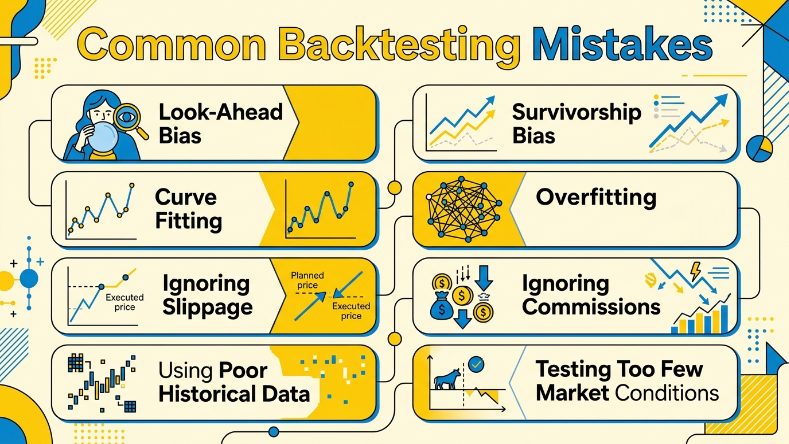
Catching these problems early has saved me from trusting systems that were never as good as they appeared:
Look-Ahead bias: This happens when a strategy accidentally uses information that wouldn't have been available at the time of the trade. If your backtest "knows the future," the results are meaningless.
Survivorship bias: Testing only stocks or assets that still exist today can paint an overly optimistic picture. Markets are full of companies and instruments that disappeared, and a realistic backtest should account for that.
Curve fitting: I've been tempted to keep tweaking a strategy until every chart looks perfect. The problem is that a strategy optimized for one dataset often falls apart when market conditions change.
Overfitting: Similar to curve fitting, overfitting happens when a strategy becomes so specific that it's reacting to historical noise instead of genuine market behavior. Simpler rules often prove more reliable.
Ignoring slippage: A strategy that looks profitable on paper can lose its edge once realistic execution prices are included. I always estimate slippage, especially for fast-moving markets.
Ignoring commissions: Trading costs may seem small, but they add up quickly. Before trusting any backtest, I include commissions, exchange fees, and any other costs I'd expect in live trading.
Using poor historical data: Missing candles, inaccurate prices, or inconsistent data can completely distort your results. I always spend a few minutes checking the quality of the dataset before running long backtests.
Testing too few market conditions: A strategy that performs well during a bull market hasn't necessarily proven itself. I want to see how it behaves during rallies, crashes, sideways markets, and periods of high volatility before I consider using it live.
Coding vs no-code Backtesting Software
The best choice depends on how you prefer to build strategies. I started with no-code tools because they let me validate ideas quickly. After testing more than 100 strategy ideas, I gradually moved toward coding as I needed more control over execution rules, portfolio logic, and data handling. As my strategies became more sophisticated, learning to code opened up far more possibilities. Neither approach is inherently better - they simply serve different types of traders.
Feature | No-Code | Python | Pine Script | C# |
Learning Curve | Very easy to learn with visual interfaces. | Moderate to steep, especially for beginners. | Beginner-friendly if you're already using TradingView. | Steeper due to object-oriented programming concepts. |
Flexibility | Limited to built-in rules and available features. | Excellent for fully customized strategies and research. | Strong for chart-based strategies but less flexible than Python. | High flexibility for developing complex trading systems. |
Speed | Fast to build simple strategies. | Depends on code quality and testing environment. | Fast for TradingView-based testing. | High performance, especially in desktop trading platforms. |
Automation | Basic automation on supported platforms. | Extensive automation with APIs and custom workflows. | Supports alerts and automated strategies within TradingView. | Well suited to fully automated trading systems like NinjaTrader. |
Community Support | Platform-specific user communities. | Massive global developer community and open-source libraries. | Large and active TradingView community. | Strong support from professional developer and trading communities. |
How to choose the right Backtesting Software
I've switched between more backtesting platforms than I'd like to admit. A few looked amazing on their feature pages, but I stopped using them after a week because they slowed down my workflow. Others looked fairly simple, yet became tools I opened almost every day.
That's why I don't believe there's a single "best" platform. The right one depends on what you trade, how technical you are, and how much time you're willing to spend learning new software.
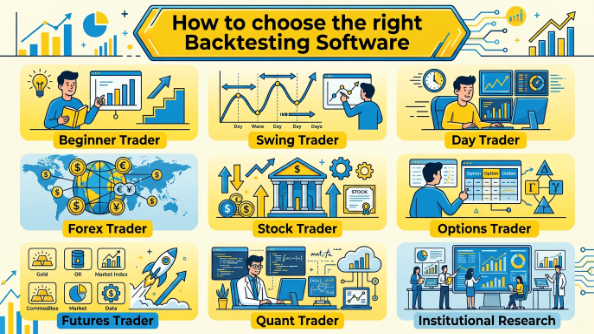
Beginner trader
When I was learning, I didn't need Monte Carlo simulations or portfolio optimization. I just wanted to know whether a setup actually had an edge. That's why I'd still point most beginners toward TradingView or ProRealTime. Both let you run your first backtest quickly instead of spending an afternoon reading documentation.
Swing trader
Swing trading usually rewards patience more than speed. I care more about clean charts, dependable historical data, and the ability to test ideas across different market cycles. TradingView handles that beautifully, while TrendSpider saves a surprising amount of time by automating technical analysis that I'd otherwise draw myself.
Day trader
Intraday trading is where execution starts to matter as much as the strategy itself. I've learned more from replaying 20+ difficult trading sessions than from staring at an equity curve. NinjaTrader's Market Replay remains one of my favorite practice tools, while FX Replay offers a much faster browser-based alternative.
Forex trader
If you're already trading through an MT5 broker, I honestly wouldn't complicate things by adding another platform. The built-in Strategy Tester does everything most forex traders need. I've used replay-based testing across 30+ forex sessions, and I found it particularly useful for separating strategy quality from execution discipline.
Stock trader
The answer depends on how you research ideas. For chart-based traders, TradingView is hard to beat because everything is already there. In my own workflow, I used it to compare strategies across 500+ symbols, which made the difference in processing speed much more noticeable than it would be with a small watchlist.
Options trader
Options strategies become complicated very quickly. Greeks, expirations, and multi-leg positions add layers that basic backtesting software doesn't always handle well. QuantConnect gives experienced traders plenty of flexibility, while Option Alpha is much easier if you prefer building strategies visually instead of writing code.
Futures trader
Most futures traders I know eventually end up looking at NinjaTrader. After using it myself, I understand why. The combination of Strategy Analyzer and Market Replay makes it much easier to spot execution mistakes that don't always appear in performance reports.
Quant trader
Once I started writing Python, I realized how restrictive visual platforms could become. Backtrader gives me complete control over every part of a strategy, while QuantConnect removes much of the work involved in managing data and computing resources. Which one I choose usually depends on whether I want flexibility or convenience.
Institutional research
Large-scale research is a different game entirely. Running portfolio simulations across multiple asset classes requires reliable datasets, automation, and computing power. That's where QuantConnect stands out. AmiBroker is still remarkably fast for desktop research, but cloud infrastructure becomes difficult to ignore once projects start growing.