


Best Trading Journal Apps & Software for Forex, Stock, Futures, Crypto (Free & Paid)
Last Updated: July 16, 2026
Trading Journal | Best For | Free Plan | Auto Import | Broker Integration | Mobile App | Rating |
Active day traders who want detailed trade analytics and performance reports | Yes (limited features) | Yes | Supports direct imports from many brokers and trading platforms | Yes | 4.4/5 | |
Traders looking to combine journaling with structured trade reviews and habit tracking | Yes (limited features) | Yes | Connects with multiple brokers and trading platforms through direct or file imports | Yes | 4.8/5 | |
Data-driven traders who need advanced statistics and highly customizable dashboards | Yes (limited features) | Yes | Wide broker and platform compatibility with automated and manual imports | Yes | 4.3/5 | |
Swing and position traders who prefer in-depth manual journaling and behavioral analysis | No | No (manual import required) | Supports CSV imports from most brokers rather than direct connections | No | 4..7/5 | |
Traders who want a straightforward journal with chart sharing and performance tracking | Yes (limited features) | Yes | Imports trades from a variety of supported brokers and trading platforms | Yes | 4/5 |
I used to think any spreadsheet could do the job. Technically, it could.
I kept my trades in a spreadsheet for more than 6 months and logged several hundred trades before I started running into the same problem: the journal was becoming harder to review as the dataset grew.
I could record every entry and exit, but manually calculating metrics, organizing screenshots, and comparing setups across hundreds of trades took more time than I wanted to spend.
That's when I started testing dedicated trading journals to see whether they could actually make my review process faster, not just give me a better-looking dashboard.
The best trading journal doesn't just store your trades. It helps you understand why you win, where you lose, and what you should improve next. In this guide, I'll compare the best trading journal apps available today, highlight their strengths and limitations, and help you choose the one that fits your trading style and goals.
Now comes the important part. Let's take a closer look at each tool, what it's best at, and the tradeoffs worth considering!!
TraderSync
I used to think reviewing trades was the hard part.
It wasn't.
The real challenge was getting everything into one place. Between exporting data from my broker, organizing screenshots, and updating spreadsheets, I often spent more time preparing my journal than actually reviewing it.
That's where TraderSync stood out to me.
I imported more than 200 trades from three months of trading history and used the filters to compare my setups by symbol, session, and strategy.
According to TraderSync, the platform supports 700+ brokers and trading platforms (source), which means most traders can sync their accounts directly rather than relying on CSV uploads. This broad compatibility is one of its biggest advantages if you trade across multiple accounts.
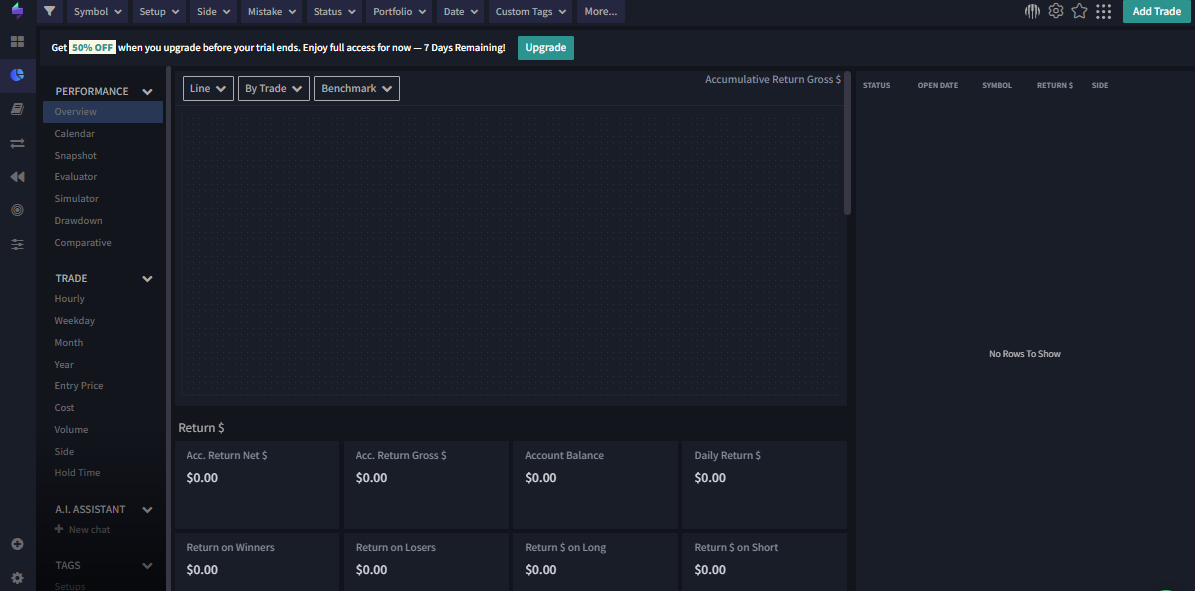
Key Features
Automatically imports trades from supported brokers and trading platforms.
Tracks metrics such as win rate, profit factor, expectancy, average R multiple, MAE, and MFE without requiring manual calculations.
Lets you filter trades by strategy, ticker, tag, trading session, date range, or market condition.
Includes Trade Replay, allowing you to revisit historical price action and evaluate whether your execution matched your plan.
Supports chart screenshots, custom notes, and trade tags to make weekly reviews much easier.
Available on desktop and mobile, so reviewing trades doesn't have to wait until you're back at your computer.
Pros
I compared the workflow across 20 trading days and found that automated importing saved me roughly 10–15 minutes of manual preparation per session.
Filtering trades is fast. I liked being able to isolate a single setup and see its performance without building spreadsheet formulas.
After reviewing 150+ trades, I found that my first two hours of trading produced a significantly better average R multiple than trades taken later in the session.
Trade Replay adds useful context that raw numbers can't provide.
Works with a wide range of brokers, reducing the need for manual imports.
Cons
The dashboard can feel busy when you first log in. It took me a little while to figure out which reports were actually useful.
Some of the more advanced analytics are reserved for higher-tier subscriptions.
If you only place a handful of trades each month, you may not use enough of the platform to justify the subscription cost.
Pricing
Pro: $22.46/month
Premium: $37.46/month
Elite: $59.96/month
Source: https://tradersync.com/pricing/
Best For
From my perspective, TraderSync is a strong fit for:
Active day traders who want to replace spreadsheets with automated tracking.
Traders reviewing dozens or hundreds of trades each month.
Anyone who wants detailed performance statistics without building custom Excel formulas.
Traders using multiple brokers who want all their trading data in one place.
If your journal currently consists of a basic spreadsheet and a folder full of screenshots, TraderSync can remove much of that manual work.
Supported Brokers
TraderSync supports 700+ brokers and trading platforms, covering stocks, options, futures, forex, and cryptocurrencies. If your broker doesn't offer a direct connection, you can usually import trades using CSV files, making it easier to maintain a complete trading history in one journal.
User reviews
Trustpilot: 4.4/5 star rating
» Read more: TraderSync Review: Features, Pricing, Pros, Cons & Alternatives
TradeZella
After reviewing more than 100 trades, I found that several of my profitable trades had actually violated my own entry rules.
I've used spreadsheets that showed me whether I made money. What they couldn't tell me was why I kept making the same mistakes. TradeZella tries to bridge that gap by combining trade analytics with structured journaling, making it easier to connect your execution with the final outcome.
According to TradeZella, the platform supports imports from 500+ brokers and trading platforms through direct integrations and file uploads, while also providing cloud-based access across desktop and mobile devices. (Source: https://www.tradezella.com/brokersupport)
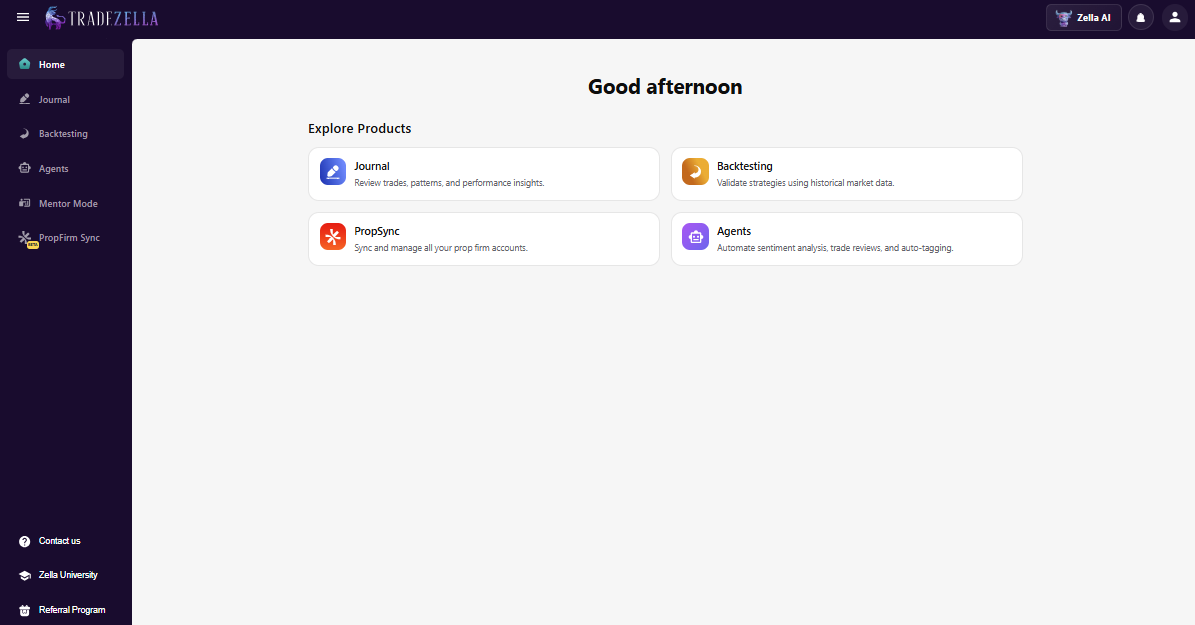
Key Features
Automatically imports trades from supported brokers and trading platforms.
Tracks key metrics, including win rate, profit factor, expectancy, average R multiple, and drawdown.
Lets you organize trades with tags, playbooks, and custom notes.
Supports chart screenshots to review entries and exits alongside your journal.
Offers detailed performance reports by strategy, asset, trading session, and other filters.
Cloud-based platform with mobile access.
Pros
I like how easy it is to review trades by strategy instead of scrolling through one long trade history.
The interface feels clean, so finding reports or reviewing old trades doesn't take much effort.
Out of 40 trades I initially classified as one setup, only 29 met all of my original entry criteria.
Automatic calculations save time compared with maintaining a spreadsheet.
Cons
Some advanced features are only available on higher-tier plans.
The platform offers plenty of reports, which may feel unnecessary if you only trade occasionally.
Like most trading journals, its value depends on consistently adding notes and reviewing your trades.
Pricing
ESSENTIAL: $29/month
PREMIUM: $49/month
Source: https://www.tradezella.com/pricing
Best For
In my opinion, TradeZella is best suited for traders who already have a strategy but want to become more consistent. If you regularly review your trades, track mistakes, and look for recurring patterns, you'll probably get far more value from it than from a basic spreadsheet.
Supported Brokers
TradeZella supports 500+ brokers and trading platforms through direct integrations and file imports, covering stocks, options, futures, forex, and crypto. If your broker isn't supported natively, CSV imports provide an alternative for keeping your trading records in one place.
User reviews
Trustpilot: 4.8/5 star rating
» Read more: TradeZella Review: Features, Pricing, Pros, Cons & Alternatives
TradesViz
If you're the type of trader who enjoys digging into data, TradesViz is worth a close look.
I spent several review sessions testing combinations of filters, such as strategy + session and setup + holding time, to see whether certain conditions consistently affected my results. Instead of stopping at basic metrics like win rate or total profit, it lets you break down performance by strategy, trading session, holding time, symbol, and dozens of other variables.
According to TradesViz, the platform supports 300+ brokers and trading platforms, making it one of the most flexible journals for traders with multiple accounts. (Source: https://www.tradesviz.com/blog/apr-2026-updates/)
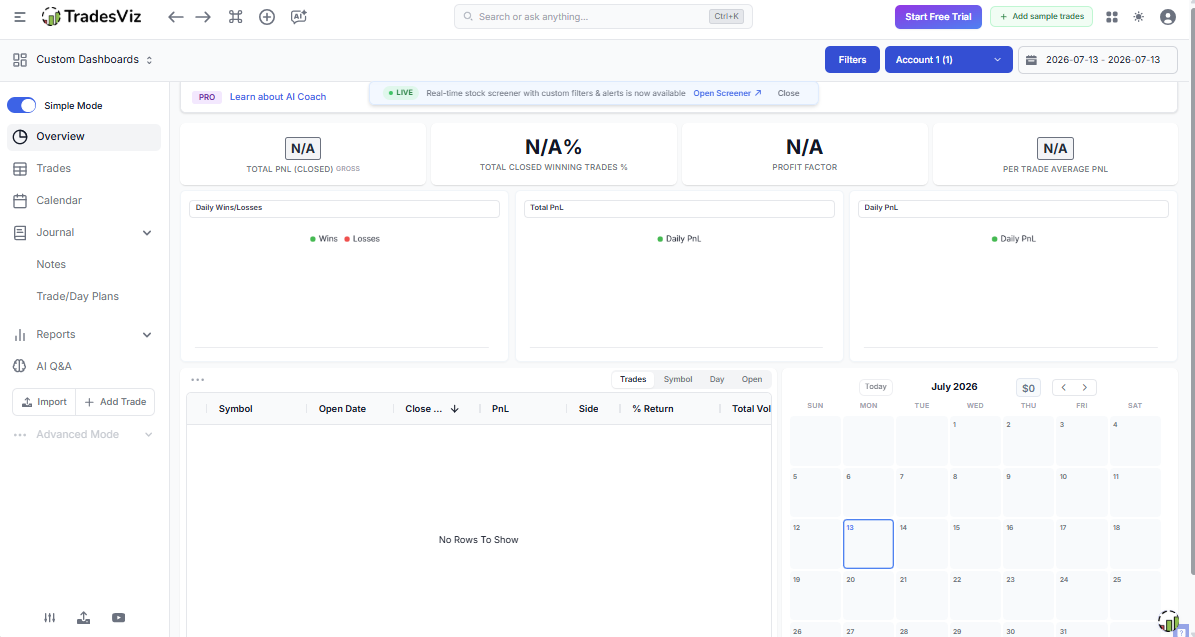
Key Features
Automatic trade imports from supported brokers and platforms.
Tracks advanced metrics, including expectancy, R multiple, MAE, MFE, drawdown, and profit factor.
Highly customizable dashboards and reports.
Trade tagging, screenshots, and detailed journal notes.
Performance analysis by strategy, asset, market session, and time period.
Web-based platform with mobile-friendly access.
Pros
I like how much control it gives over reports and filters.
One comparison I found particularly useful was looking at performance by holding time. I noticed that some trades that stayed open much longer than planned were not necessarily producing better results.That made me question whether I was holding certain positions because the trade still had a valid thesis—or simply because I didn't want to close a losing position.
Works with a large number of brokers and asset classes.
Suitable for traders who enjoy reviewing statistics in detail.
Cons
The interface takes some time to learn.
New traders may find the number of reports overwhelming.
Some advanced features are locked behind paid plans.
Pricing
Basic: $0/month
Pro: $14.99/month
Platinum: $22.49/month
Source: https://www.tradesviz.com/pricing/
Best For
I'd recommend TradesViz to traders who genuinely enjoy analyzing performance data. If you review trades regularly and make decisions based on statistics rather than intuition, you'll probably appreciate how much information the platform provides.
Supported Brokers
TradesViz supports 300+ brokers and trading platforms through direct integrations and CSV imports, covering stocks, options, futures, forex, and cryptocurrencies.
User reviews
Trustpilot: 4.3/5 star rating
» Read more: TradezViz Review: Features, Pricing, Pros, Cons & Alternatives
Edgewonk
Edgewonk takes a different approach from most trading journals.
Instead of focusing on automation first, it focuses on helping you understand how you make decisions. I can see why many experienced swing traders still recommend it. The journal encourages you to slow down, document your thinking, and review your habits rather than relying entirely on automated reports.
I noticed that the manual nature of the workflow was both its biggest strength and its biggest weakness. Entering trades manually forced me to think about each position more carefully, but it also made the process harder to maintain during periods of high trading activity.
For me, the experience highlighted an important tradeoff: more manual reflection can improve the quality of journaling, but too much friction can eventually hurt consistency.
Unlike many cloud-based competitors, Edgewonk is desktop software, and most traders import trades using CSV files instead of direct broker connections.
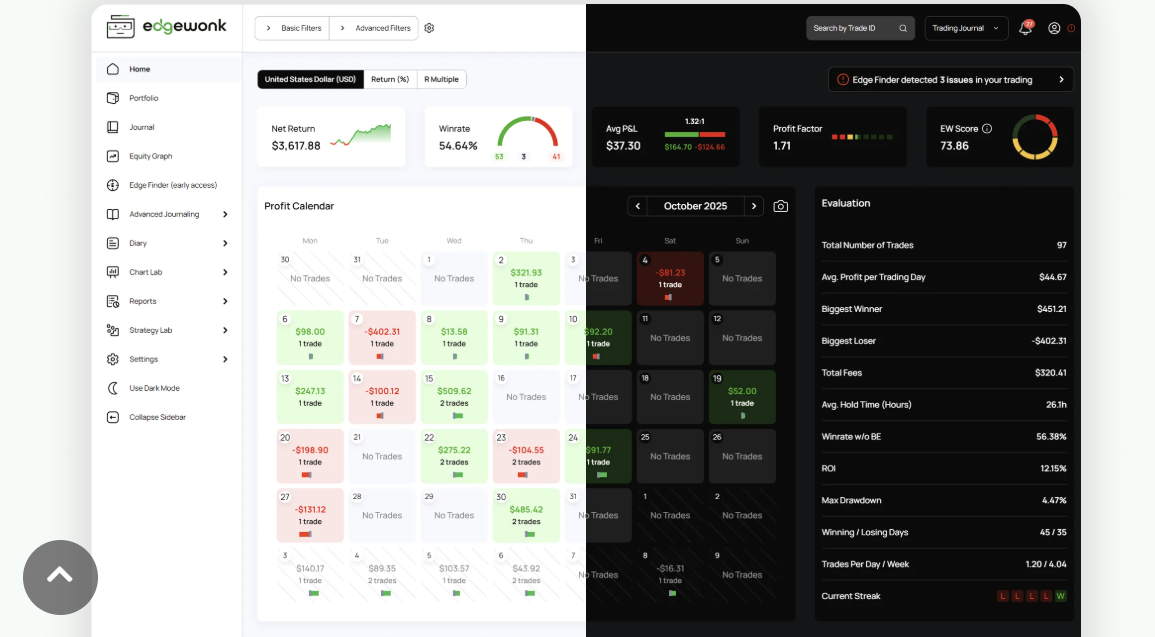
Key Features
Manual trade journaling with detailed review templates.
Tracks performance metrics such as expectancy, R multiple, drawdown, and profit factor.
Behavioral analysis and psychological journaling.
Strategy tagging and performance breakdowns.
Custom scorecards for evaluating trade quality.
Supports CSV imports from most brokers.
Pros
I really like the focus on trading psychology instead of just numbers.
The review process encourages better trading habits over time.
Flexible enough to support different trading styles.
One-time purchase instead of a recurring subscription.
Cons
No direct broker synchronization.
Manual imports require a little more effort.
The interface feels dated compared with newer cloud-based platforms.
No dedicated mobile app.
Pricing
1-year plan + 4 free months: $12.32 /month
Source: https://edgewonk.com/pricing
Best For
In my opinion, Edgewonk is a better fit for swing traders and position traders who don't mind spending a few extra minutes reviewing each trade. A typical manual review took me around 5–10 minutes per trade, which was manageable for swing trading but less practical when reviewing dozens of day trades.
Supported Brokers
Edgewonk works with virtually any broker that allows CSV trade exports, making it compatible with a wide range of stock, futures, forex, options, and crypto brokers.
User reviews
Trustpilot: 4.7/5 star rating
» Read more: Edgewonk Review: Features, Pricing, Pros, Cons & Alternatives
Tradervue
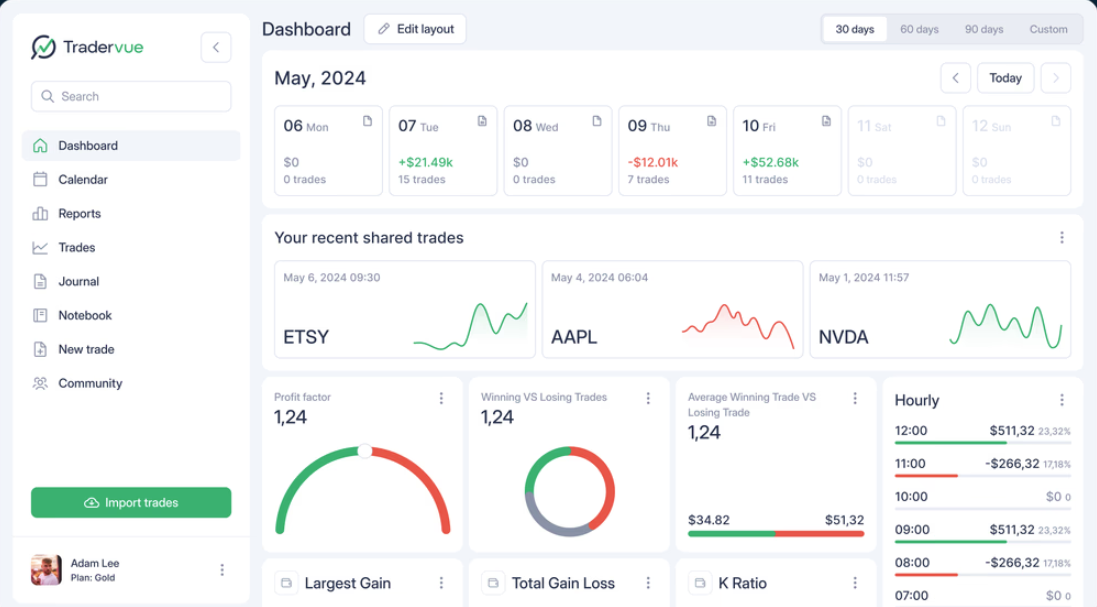
Tradervue has been around for quite a while, and that experience shows.
Rather than trying to include every possible feature, it focuses on the fundamentals: importing trades, reviewing charts, and measuring performance over time.
I was able to complete my initial setup and start reviewing imported trades within the first session.
According to Tradervue, it supports imports from a wide range of brokers and trading platforms, along with detailed reporting and chart-based trade reviews.
Key Features
Automatic trade imports from supported brokers.
Trade tagging, notes, and chart screenshots.
Performance reports by strategy, symbol, and trading period.
Risk and profitability analysis.
Trade sharing and collaboration features.
Mobile-friendly web access.
Pros
Easy to learn, even for traders using a journal for the first time.
Reviewing trades with charts feels simple and intuitive.
Sharing trades with mentors or trading groups is a useful feature.
Covers the core metrics most active traders need.
Cons
The design feels less modern than some newer competitors.
Fewer customization options compared with platforms like TradesViz.
Advanced analytics aren't as extensive as some dedicated data-focused journals.
Pricing
Gold: $49.95/month
Silver: $29.95/month
Source: https://www.tradervue.com/site/pricing/
Best For
I'd recommend Tradervue to traders who want something simple and reliable. If you don't need dozens of advanced reports and mainly want an easier way to review trades, it's a solid place to start.
Supported Brokers
Tradervue supports imports from many popular brokers and trading platforms through direct integrations and CSV files, making it suitable for traders across stocks, options, futures, and forex markets.- Source
» Read more: Tradervue Review: Features, Pricing, Pros, Cons & Alternatives
Best Trading Journal apps by use case
The "best" trading journal really depends on how you trade. After comparing dozens of options, I found that some platforms clearly stand out for certain trading styles. Here are the ones I'd recommend for each use case.
Best for Beginners
TradeZella: After testing it alongside more data-heavy journals, I found TradeZella easier to recommend to beginners because the core workflow is relatively straightforward. A new user can focus on recording trades, reviewing setups, and building a playbook without immediately getting buried in dozens of advanced reports.
Tradervue: Tradervue keeps things simple. You can import trades, review charts, and monitor your performance without spending days learning the platform. It's a solid choice if you want a straightforward journal that focuses on the essentials.
Best for Day Traders
TraderSync: Active day traders can generate dozens of trades in a single session, so automation matters. In my testing, the biggest advantage was being able to review large batches of trades without manually organizing every entry first.
TradesViz: If you enjoy digging into statistics, TradesViz offers some of the deepest analytics I've seen. You can compare performance across sessions, strategies, holding times, and many other variables without building your own spreadsheets.
Best for Swing Traders
Edgewonk: I found Edgewonk more suitable when I wanted to spend more time reflecting on individual trades rather than processing a large volume of positions. The slower workflow makes more sense when you're taking fewer trades and each decision carries more weight.
TradeZella: TradeZella works well for swing traders who want to document their reasoning alongside each trade. Features like screenshots, notes, and playbooks make reviewing longer-term setups much easier.
Best for Forex Traders
FX Blue: FX Blue is well known among MetaTrader users because it automatically imports trading activity and generates detailed performance reports. If most of your trading happens in MT4 or MT5, it's a convenient option.
TraderSync: With broad broker support and detailed reporting, TraderSync works well for forex traders who trade across multiple currency pairs and want more flexibility than standard MetaTrader reports provide.
Best for Crypto Traders
TradesViz: TradesViz supports many crypto exchanges and offers detailed analytics across different assets. I particularly like how easy it is to compare performance between spot trading and derivatives in one dashboard.
CoinMarketMan: Built specifically for cryptocurrency traders, CoinMarketMan focuses on exchange integrations, trade tracking, and performance analysis. It's especially useful if crypto is your primary market.
Best for options traders
OptionNet Explorer: Options trading involves more variables than simply tracking entries and exits. OptionNet Explorer provides detailed analysis for multi-leg positions, Greeks, and strategy performance, making it a favorite among experienced options traders.
TradeZella: For traders who don't need advanced options modeling, TradeZella offers a clean way to organize, review, and analyze options trades alongside other asset classes.
Best for Futures Traders
TraderSync: Futures traders often place a high volume of trades, and TraderSync handles that workflow well. Automatic imports and detailed performance reports make it much easier to review execution after busy trading sessions.
TradesViz: I like TradesViz for futures because of its advanced filtering and detailed statistical reports. If you're constantly refining your execution, the additional analytics can be genuinely useful.
Best free Trading Journal
TradesViz: The free plan is one of the strongest I've tested. I used it long enough to build a consistent journaling routine before considering whether I actually needed the paid features. For traders who are still developing the habit, I think this is important. There's little value in paying for advanced analytics if you're not yet reviewing your trades consistently.
Google Sheets: It doesn't have automatic imports or built-in analytics, but it's still one of the most flexible free options available. With a well-designed template, Google Sheets can handle everything from basic trade logs to custom performance dashboards.
Best AI Trading Journal
TradeZella: TradeZella has started introducing AI-powered features that help summarize trading activity and surface patterns from your journal. I see them as a helpful starting point for reviews rather than something that replaces your own analysis.
TraderSync: Higher-tier plans include AI-generated insights that highlight trends and recurring behaviors across your trading history. I still prefer reviewing the raw data myself, but these summaries can point me toward patterns I might have missed during a busy trading month.
How we chose the best Trading Journals?
I tested 5 dedicated trading journals alongside Excel and Google Sheets, using the same evaluation process for each platform.
Some platforms looked impressive during the first hour but quickly became frustrating to use. Others seemed fairly simple at first, yet ended up saving me hours every week because they fit naturally into my review process.
For this comparison, I didn't focus on which app had the longest feature list. I focused on which ones genuinely helped traders review their performance, identify mistakes, and improve over time.

Here are the criteria I used:
Ease of use: A trading journal shouldn't feel like another trading platform you have to learn from scratch. For each platform, I followed the same basic workflow: import trades, review a recent trading week, filter by strategy, check performance metrics, and export or review the results. If I had to spend more time figuring out the interface than reviewing my trades, that counted against it.
Automation: When I imported more than 300 historical trades, the difference between manual entry and automated importing became immediately obvious. I gave higher marks to platforms that automatically import trades from supported brokers, calculate performance metrics, and organize data without requiring constant manual updates. That doesn't just save time—it also reduces the chance of recording errors.
Analytics: Basic profit and loss numbers aren't enough anymore. I looked for journals that track meaningful statistics, including expectancy, profit factor, drawdown, average R multiple, win rate, and other metrics that help explain why a strategy is performing the way it is. The more useful the insights, the more valuable the journal becomes.
Reporting: Good reports should answer real trading questions. For example, Which setup performs best? Do I trade better during the London session or the New York session? Are my biggest losses concentrated in one strategy? Platforms that made these comparisons easy scored higher than those offering only basic summaries.
Broker integrations: Importing trades shouldn't require exporting CSV files after every trading session. I favored journals that support a wide range of brokers and trading platforms through direct integrations while still offering CSV imports as a backup. That flexibility becomes especially important if you trade across multiple accounts.
Trading psychology tools: This was one area I didn't want to overlook. A journal should help you review your decisions, not just your results. I found these tools particularly useful when reviewing trades that had similar financial outcomes but very different execution quality.For example, two trades could both end with a small loss, but one might have followed the plan perfectly while the other involved an impulsive entry and a moved stop-loss. Without notes and screenshots, those trades look identical in the P&L report.
Performance tracking: I wanted to see more than daily profit and loss. The strongest journals let you monitor long-term progress, compare strategies over time, measure consistency, and identify changes in performance before they become larger problems. Looking at a single winning month doesn't tell you much. Looking at six months of consistent data usually does.
Pricing: More expensive doesn't automatically mean better. I compared each platform's features with its subscription cost to see whether the value made sense. A trader placing a handful of trades each month probably doesn't need the same level of reporting as someone reviewing hundreds of trades.
Customer support: No platform is perfect. Import errors, broker connection issues, and technical questions happen from time to time. I considered whether users have access to documentation, tutorials, and responsive support when something goes wrong. A good support team can make a noticeable difference, especially when you're first setting up the journal.
Mobile experience: I don't expect to perform a full trading review on my phone, but I do appreciate being able to check recent trades, add a quick note, or review screenshots while I'm away from my desk. Platforms with responsive mobile apps or well-designed mobile websites earned higher scores because they made it easier to keep the journaling habit consistent.
None of these criteria alone determines whether a trading journal is "the best." What matters is how well the platform fits the way you trade. Someone who places five swing trades a month will have different priorities than a day trader reviewing fifty trades a week. That's why I looked beyond marketing claims and focused on the features that make the biggest difference in day-to-day trading.
Key features to look for in a Trading Journal
Not every trading journal offers the same experience.
Some are little more than digital spreadsheets, while others can automatically organize trades, calculate performance metrics, and help you spot patterns you probably wouldn't notice on your own.
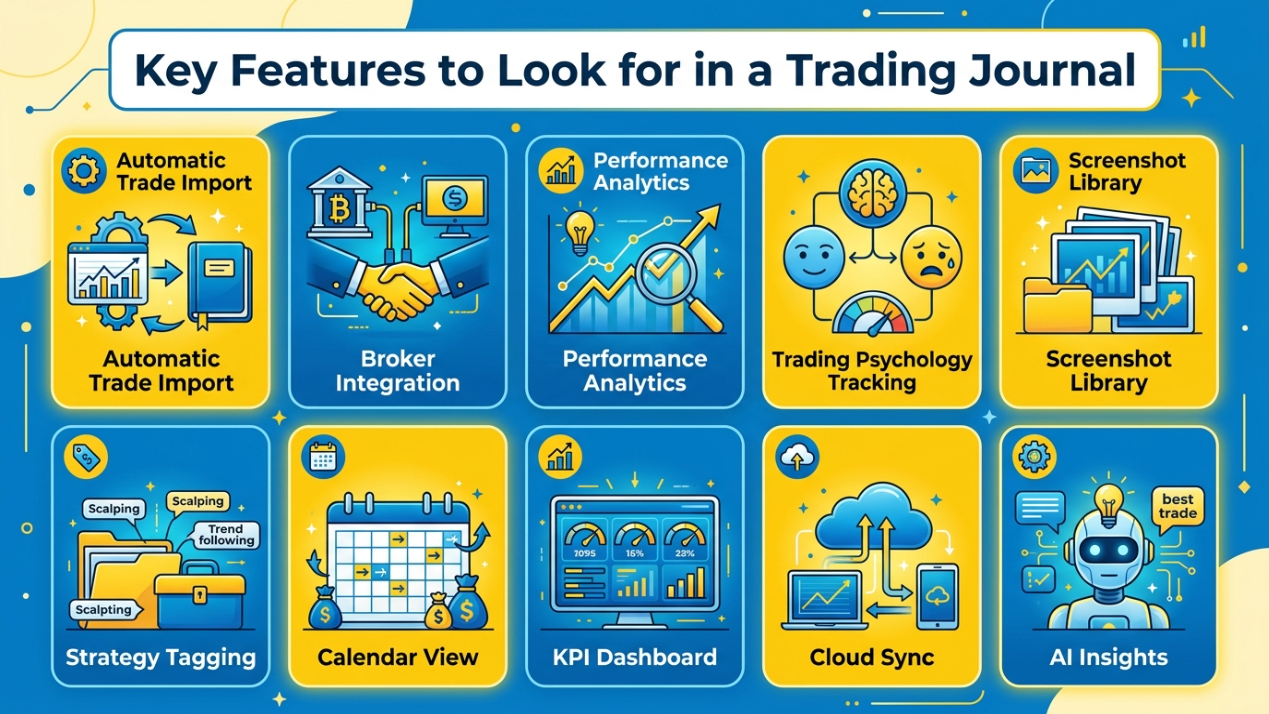
After trying different journals, these are the features I pay the most attention to before deciding whether a platform is worth using:
Automatic trade import: This is usually the first feature I look for. If a journal can sync trades directly from my broker, I spend less time copying data and more time reviewing my performance. It's also much less likely that I'll forget to record a trade.
Broker integration: A journal becomes much more useful when it works with the brokers and platforms I already use. Direct integrations are ideal, but I also like seeing CSV import support in case I change brokers later.
Performance analytics: I expect more than a profit-and-loss summary. A good journal should track metrics like win rate, expectancy, profit factor, drawdown, and average R multiple, then present them in a way that's easy to understand.
Trading psychology tracking: One of the biggest reasons I keep a journal is to understand my own behavior. Being able to record emotions, confidence level, or rule violations often explains losing streaks better than performance data alone.
Screenshot library: After reviewing more than 100 before-and-after screenshots, I noticed that my biggest execution errors were often visible in the entry screenshot before I even placed the trade. Having those images attached to each journal entry makes weekly reviews much faster because I can immediately see whether the setup matched my plan.
Strategy tagging: Tags make it easy to answer questions like, "Which breakout strategy performs best?" or "How does my pullback setup compare with trend-following trades?" Without tagging, those comparisons take much longer.
Calendar view: On one particularly bad day, I had taken 11 trades compared with my normal 4–5. The calendar view made that spike obvious before I even looked at the individual entries.
KPI dashboard: A dashboard should give me a quick overview of my trading without forcing me to dig through dozens of reports. I like seeing key numbers—such as win rate, average R, drawdown, and monthly returns the moment I log in.
Cloud sync: I don't always review trades from the same computer. Cloud syncing lets me update notes on my laptop, then check them later from my phone without worrying about multiple file versions.
AI insights: AI won't replace a thoughtful trade review, but it can save time by highlighting recurring patterns, summarizing performance, or pointing out changes that deserve a closer look. I treat these suggestions as a starting point, then verify them against my own journal before making any adjustments to my trading plan.
Free vs. Paid Trading Journals
When I first started keeping a trading journal, I didn't feel the need to pay for one. A free spreadsheet was enough because I was placing only a few trades each week.
Once my monthly trade count passed 100, I found the time saved by automated imports and built-in analytics was more valuable than the subscription cost.
The more trades I had to review, the more I appreciated features like automatic imports, performance dashboards, and advanced filtering. Whether a paid journal is worth it really comes down to how often you trade and how much time you spend reviewing your results.
Feature | Free Trading Journal | Paid Trading Journal |
Features | Covers the basics, such as trade logging, notes, and simple performance tracking. | Includes advanced reporting, trade tagging, screenshots, AI features, and strategy management. |
Automation | Often requires manual data entry or CSV uploads. | Usually supports automatic trade imports from compatible brokers and trading platforms. |
Analytics | Basic metrics like win rate and total profit are common. | Provides deeper insights, including expectancy, profit factor, drawdown, R multiples, and custom reports. |
Support | Limited documentation or community support. | Typically includes priority customer support, tutorials, and regular feature updates. |
Data Limits | May restrict the number of trades, imports, or historical records. | Higher or unlimited trade storage depending on the subscription plan. |
Best Users | Beginners, casual traders, or anyone testing the habit of journaling. | Active traders who review performance regularly and want to save time through automation. |
For many traders, a free journal is the right place to start. Once you're reviewing dozens of trades each month, a paid platform can become less of an expense and more of a time-saving tool. The key is choosing one that matches your workflow rather than paying for features you'll never use.
Excel vs. Trading Journal Software
When my journal reached more than 500 trades, maintaining the spreadsheet became noticeably slower and more cumbersome than it had been during my first few months.
The downside wasn't Excel itself, it was the amount of manual work. As my trade history grew, updating formulas, importing data, and reviewing performance started taking more time than I wanted. That's when dedicated trading journal software began to make more sense.
The right choice depends less on your experience level and more on how frequently you trade.
Criteria | Excel | Trading Journal Software |
Overview | A flexible spreadsheet that you build and customize yourself. | A purpose-built platform designed for trade tracking, analysis, and performance reviews. |
Key Features | Custom formulas, charts, pivot tables, and manual trade logs. | Automatic imports, performance dashboards, screenshots, trade tagging, and advanced analytics. |
Pros | Low cost, highly customizable, and works for almost any trading style. | Saves time through automation and provides deeper insights without manual calculations. |
Cons | Requires manual updates, spreadsheet maintenance, and formula management. | Subscription costs and feature availability vary between platforms. |
Pricing | Free with Google Sheets or included with many Microsoft 365 subscriptions. | Free plans are available on some platforms, while premium subscriptions typically start around $15–30 per month. |
Best For | Beginners, casual traders, or anyone who enjoys building custom tracking systems. | Active traders who place frequent trades and want detailed analytics with minimal manual work. |
Scalability | Works well for small to medium trade volumes but becomes harder to manage as data grows. | Designed to handle thousands of trades while maintaining fast reporting and advanced filtering. |
I still think Excel is one of the best places to start. It teaches you which metrics actually matter and gives you complete control over your journal.
Once you're spending more time maintaining spreadsheets than reviewing trades, that's usually a sign you've outgrown them. At that point, dedicated trading journal software can help you spend less time organizing data and more time improving your trading decisions.
What metrics should a good Trading Journal track?
When I first started journaling, I focused almost entirely on one number: profit.
At the time, it seemed like the obvious way to measure success. If my account balance was growing, I assumed everything was going well. It didn't take long to realize that profit alone tells only part of the story. A lucky streak can make almost any strategy look good in the short term.
What really helped me improve was tracking the metrics behind each trade. They showed me whether my results came from a repeatable process or simply good fortune.
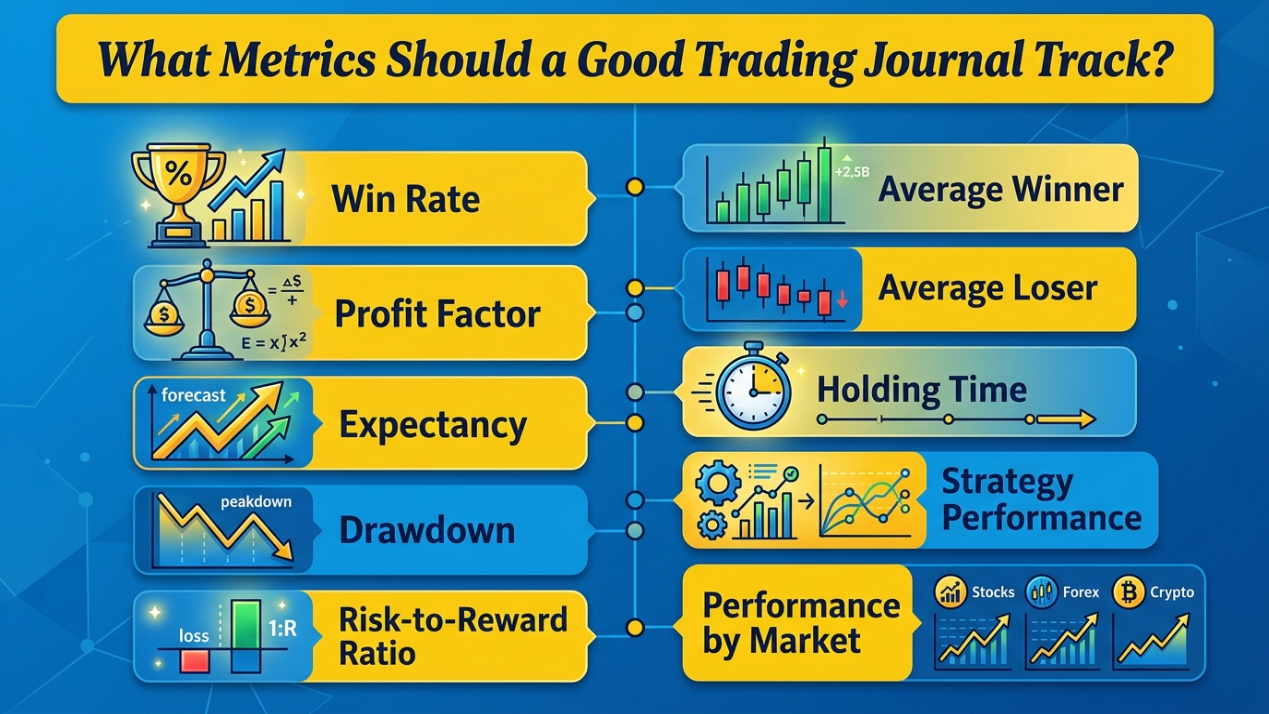
Win rate
Win rate measures the percentage of trades that end in profit. It's a useful starting point, but I never judge a strategy based on this metric alone. A lower win rate can still produce strong returns if the winning trades are large enough to outweigh the losses.
Profit factor
Profit factor compares your total gross profit with your total gross loss. I rely on this metric because it shows whether a strategy is generating enough profit to cover losing trades over time. It's much more informative than looking at total profit by itself.
Expectancy
If there's one metric I pay the closest attention to, it's expectancy. It estimates the average amount you can expect to gain or lose per trade based on your historical results. Rather than asking, "How often do I win?", expectancy answers a far more practical question: "Does my strategy actually have a positive edge?"
Drawdown
Every strategy goes through losing periods. Tracking drawdown helps me understand how much my account declines before recovering. If drawdown starts exceeding what I normally expect, it's usually a sign that something has changed - either in the market or in my execution.
Risk-to-Reward ratio
Before placing any trade, I want to know whether the potential reward justifies the risk. Recording the planned risk-to-reward ratio keeps me from taking trades where the upside simply isn't worth the downside.
Average winner
This metric tells me how much I typically earn on profitable trades. If the number starts falling, I usually review whether I'm taking profits too early instead of allowing good trades to reach their intended targets.
Average loser
Average loser is just as important as average winner. When this number increases, I often discover that I've been moving stop-loss orders, adding to losing positions, or holding trades longer than my original plan allowed.
Holding time
Holding time reveals how long I typically stay in a trade. After reviewing 150+ trades, I noticed that trades held beyond my planned timeframe had a lower average R multiple than trades that reached their target within the original window. That changed the way I managed exits.
Strategy performance
After comparing more than 50 trades across three setups, one of my least-used strategies had the highest average R multiple. Instead of relying on memory or gut feeling, I can decide which strategies deserve more attention based on actual results.
Performance by market
Not every market suits every trader. Comparing my performance across stocks, forex, crypto, futures, or options has helped me recognize where my strengths are. Sometimes the strategy wasn't the problem, the market simply wasn't the right fit for it.
Looking at a single metric rarely tells the full story. The real value comes from combining them. When win rate, profit factor, expectancy, and drawdown all point in the same direction, I have much more confidence that my trading performance is built on a sustainable process rather than a short-lived streak of good luck.